Data:
This module contains functions written to load and save data.
API
- aopy.data.base.align_neuropixel_recoring_drive(neuropixel_drive, drive2, subject, theta=0, center=(0, 0))[source]
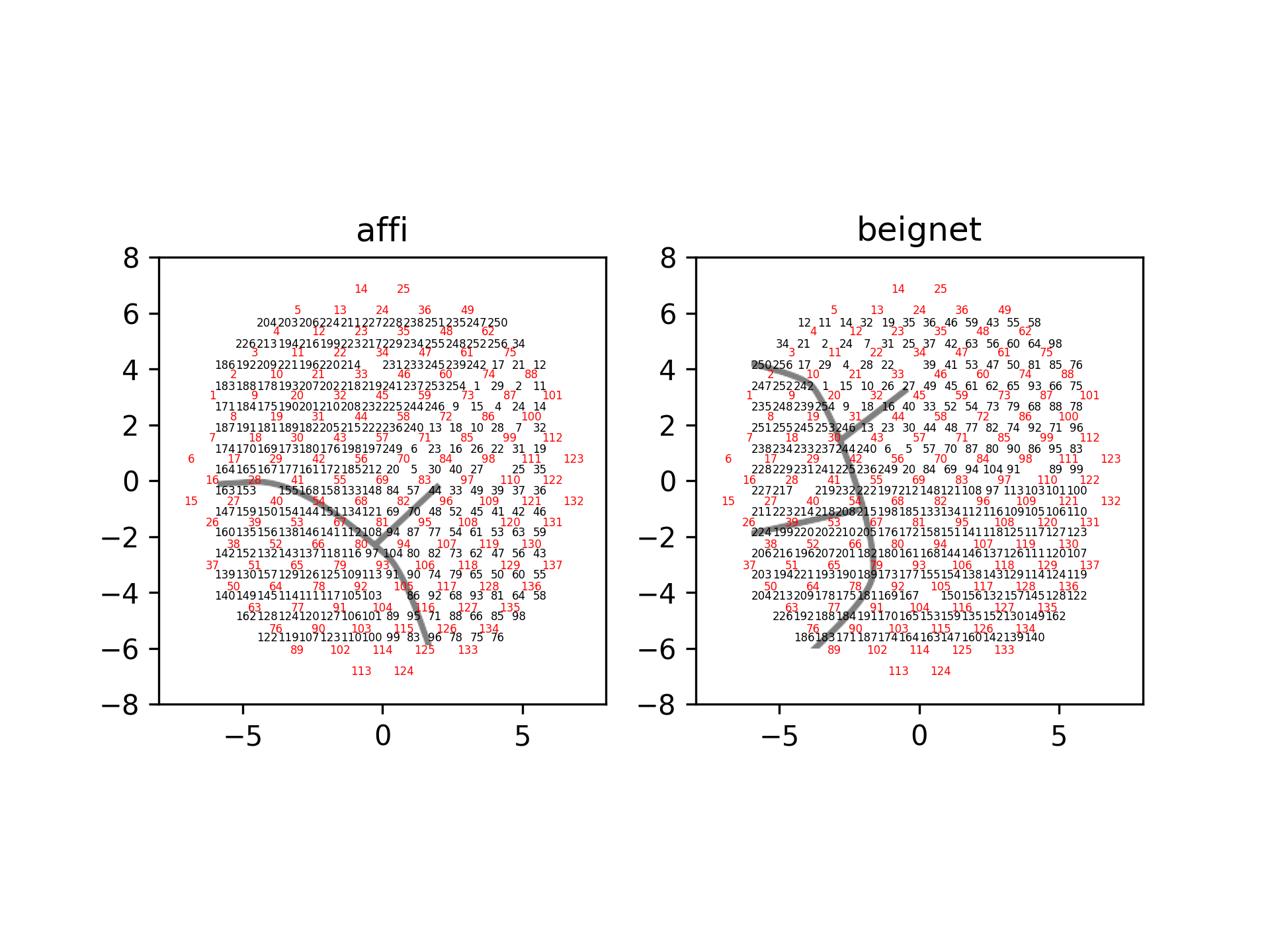
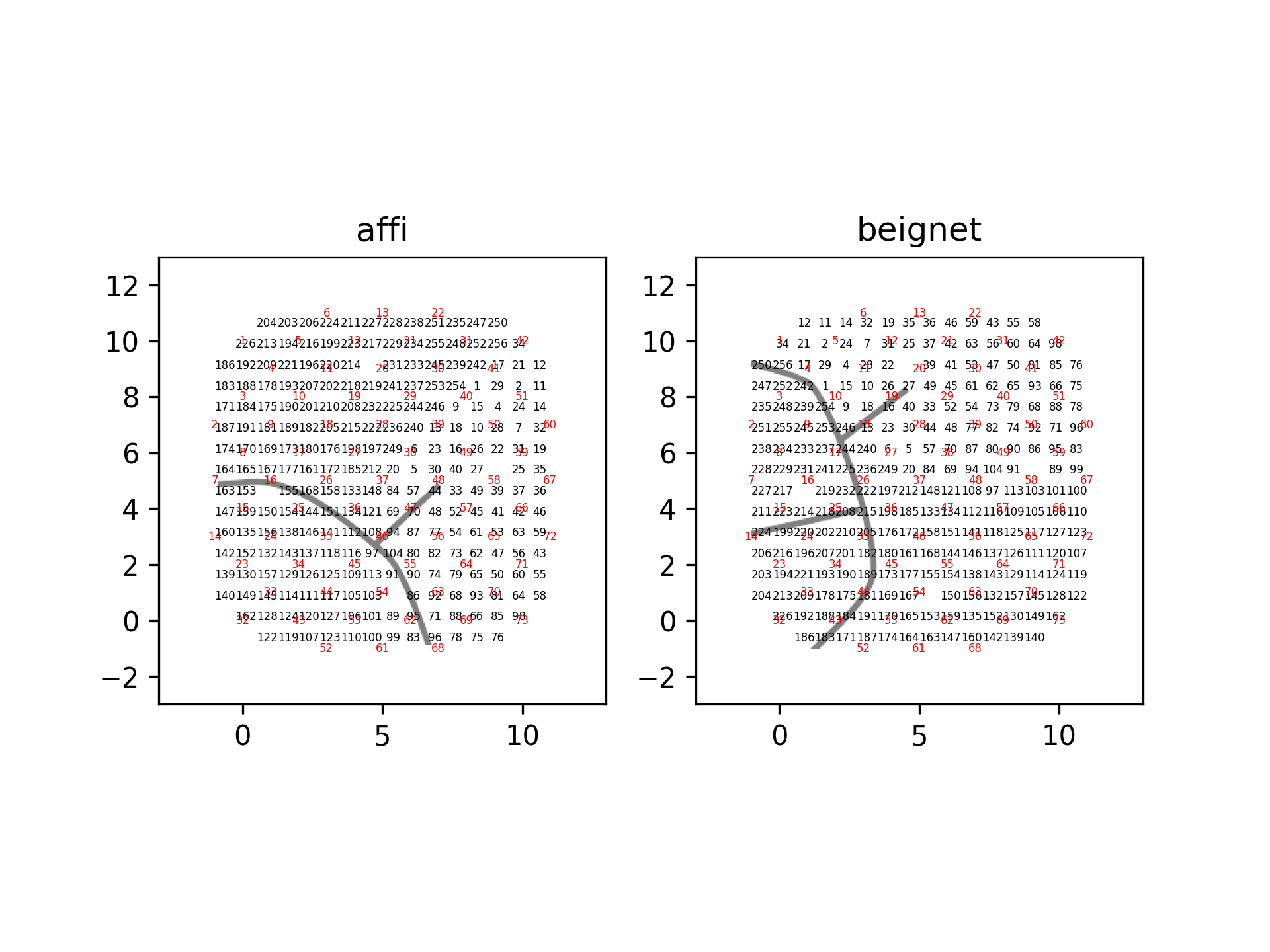
This function aligns one drive to another drive type. In the current iteration, this function only supports aligning neuropixels drives (‘NP_Insert72’/’NP_Insert137’’) to each other or to ‘ECoG244’/’Opto32’ drives. This function assumes a fixed mapping between subject and alignment is not currently compatible with selecting subsets of channels. The mapping between subject and alignment is defined in aopy/config/neuropixel_insert_ch_mapping/NP_insert_angle_alignment.xlsx. The following images depict the alignment between neuropixels insert grid hole locations and ECoG channel location for two subjects.
- Parameters:
neuropixel_drive (str) – Neuropixel drive to align. Currently supports ‘NP_Insert72’, and ‘NP_Insert137’
drive2 (str) – Other drive to align. Currently supports ‘ECoG244’, ‘Opto32’, ‘NP_Insert72’, and ‘NP_Insert137’
subject (str) – Subject recordings were performed on. Currently supports ‘Affi’ and ‘Beignet’
theta (float) – rotation (in degrees) to apply to positions. Rotations are applied clockwise. Default 0.
center (2-tuple) – chamber coordinates of the center of the drive in mm. Defaults to (0,0).
- Returns:
- Tuple Containing:
- aligned_np_drive_coordinates (nelec, 2): X and Y coordinates of each neuropixel insert recording site relative to drive2aligned_drive2_coordinates (nelec, 2): X and Y coordinates of each drive2 recording siterecording_sites (nelec): Neuropixel insert recording site numbersacq_ch (nelec): Acquisition channels (0-indexed) for each drive2 recording site
- Return type:
tuple
- aopy.data.base.find_preproc_ids_from_day(preproc_dir, subject, date, data_source)[source]
Returns the task entry ids that have preprocessed files in the given directory matching the subject, date, and data source given.
- Parameters:
preproc_dir (str) – base directory where the files live
subject (str) – Subject name
date (str) – Date of recording
data_source (str) – Processed data type (exp, eye, broadband, lfp, etc.)
- Returns
list of ids: task entry id for each matching file found in the given folder
- aopy.data.base.get_filenames_in_dir(base_dir, te)[source]
Gets the filenames for available systems in a given task entry. Requires that files are organized by system in the base directory, and named with their task entry somewhere in their filename or directory name.
- Parameters:
base_dir (str) – directory where the files will be
te (int) – block number for the task entry
- Returns:
dictionary of files indexed by system
- Return type:
dict
- aopy.data.base.get_hdf_dictionary(data_dir, hdf_filename, show_tree=False)[source]
Lists the hdf contents in a dictionary. Does not read any data! For example, calling get_hdf_dictionary() with show_tree will result in something like this:
>>> dict = get_hdf_dictionary('/exampledir', 'example.hdf', show_tree=True)
example.hdf
└──group1
|  └──group_data: [shape: (1000,), type: int64]
└──test_data: [shape: (1000,), type: int64]
>>> print(dict)
{
    'group1': {
        'group_data': ((1000,), dtype('int64'))
    },
    'test_data': ((1000,), dtype('int64'))
}
- Parameters:
data_dir (str) – folder where data is located
hdf_filename (str) – name of hdf file
- Returns:
- contents of the file keyed by name as tuples containing:
- shape (tuple): size of the datadtype (np.dtype): type of the data
- Return type:
dict
- aopy.data.base.get_kilosort_foldername(subject, te_id, date, data_source)[source]
Generates a folder name string to access the Kilosort output.
- Parameters:
subject (str) – The subject name.
te_id (int or list of int) – The experiment task entry(s) to use.
date (str) – The experiment date.
data_source (str) – The data source (e.g., ‘Neuropixel’)
- Returns:
- A formatted folder name string for the kilosort output in the format:
”{date}_{data_source}_{subject}_te{te_id1}_te{te_id2}…”.
- Return type:
str
- aopy.data.base.get_preprocessed_filename(subject, te_id, date, data_source)[source]
Generates preprocessed filenames as per our naming conventions. Format: preproc_<Date>_<MonkeyName>_<TaskEntry>_<DataSource>.hdf
- Parameters:
subject (str) – Subject name
te_id (int) – Block number of Task entry object
date (str) – Date of recording
data_source (str) – Processed data type (exp, eye, broadband, lfp, etc.)
- Returns:
filename
- Return type:
str
- aopy.data.base.is_table_in_hdf(table_name: str, hdf_filename: str)[source]
Checks if a table exists in an hdf file’ first level directory(i.e. non-recursively)
- Parameters:
table_name (str) – table name to be checked
hdf_filename (str) – full path to the hdf file
- Returns:
Boolean
- aopy.data.base.list_root_groups(data_dir, hdf_filename)[source]
List the name of groups directly under the root in HDF5 files.
- Parameters:
data_dir (str) – folder where data is located
hdf_filename (str) – name of hdf file
- Returns:
Name of groups
- Return type:
list
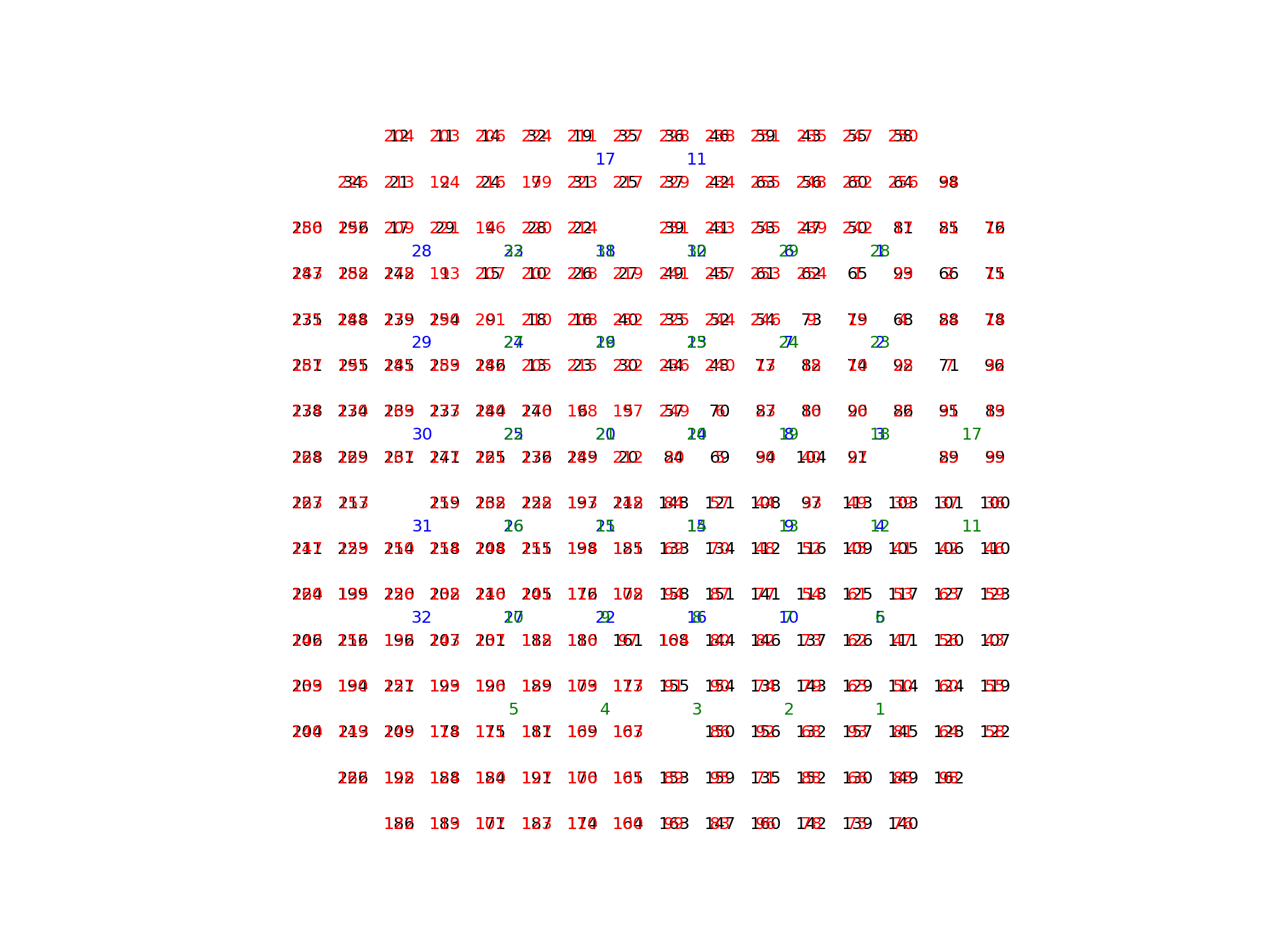
- aopy.data.base.load_chmap(drive_type='ECoG244', acq_ch_subset=None, theta=0, center=(0, 0), **kwargs)[source]
Load the centered mapping between acquisition channels and electrode position for supported drives. Currently supports ‘ECoG244’, ‘Opto32’, ‘NP_Insert72’, and ‘NP_Insert137’ drives.
- Parameters:
drive_type (str, optional) – Drive type of the method used to record neural activity. - ‘ECoG244’: Viventi 244 channel ECoG array - ‘Opto32’: Orsborn 32 channel fiber optic array - ‘NP_Insert72’: Orsborn 72 site Neuropixel grid - ‘NP_Insert137’: Orsborn 137 site Neuropixel grid
acq_ch_subset (nacq, optional) – Subset of acquisition channels to call. If not called, all acquisition channels and connected electrodes will be returned.
theta (float) – rotation (in degrees) to apply to positions. rotations are applied clockwise, e.g., theta = 90 rotates the map clockwise by 90 degrees, -90 rotates the map anti-clockwise by 90 degrees. Default 0.
center (2-tuple) – chamber coordinates of the center of the drive in mm. This function translates the coordinates of the drive to be centered on this value. Defaults to (0,0).
kwargs (dict) – Additional keyword arguments to pass to
map_acq2pos()
- Returns:
- Tuple Containing:
- acq_ch_position (nelec, 2): X and Y coordinates (in mm) of the electrodes corresponding to each acquisition channel. X position is in the first column and Y position is in the second columnacq_chs (nelec): Acquisition channels that map to electrodes (e.g. 240/256 for viventi ECoG array)connected_elecs (nelec): Electrodes used (e.g. 240/244 for viventi ECoG array)
- Return type:
tuple
Examples
plot_ECoG244_data_map(np.zeros(256,), cmap='Greys')
annotate_spatial_map_channels(drive_type='ECoG244', color='k')
annotate_spatial_map_channels(drive_type='Opto32', color='b')
annotate_spatial_map_channels(drive_type='ECoG244', color='r', theta=90)
annotate_spatial_map_channels(drive_type='Opto32', color='g', theta=90)
plt.figure()
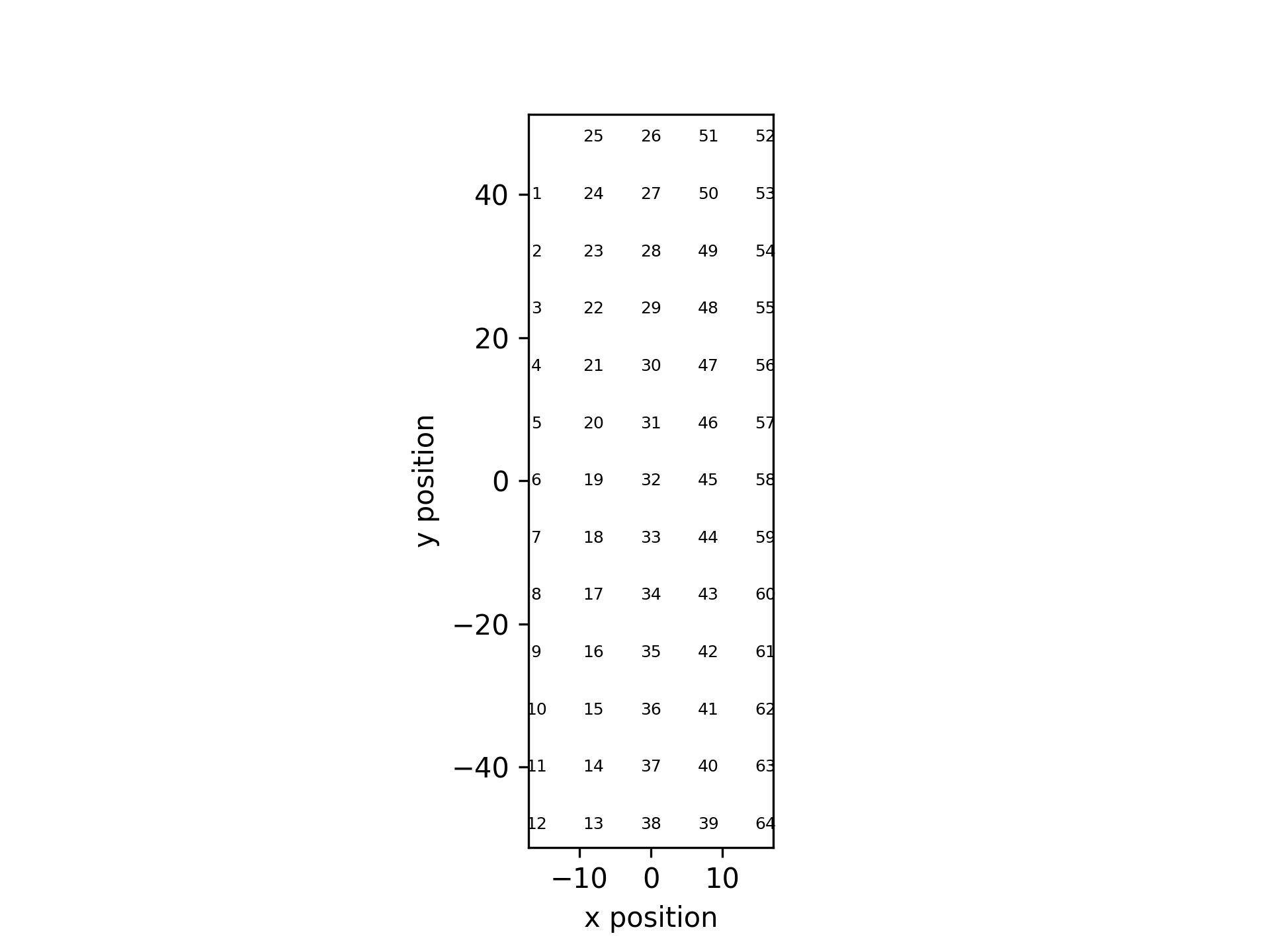
plot_spatial_drive_map(np.zeros(64,), drive_type='EMG_GR08MM1305', cmap='Greys', theta=0)
annotate_spatial_map_channels(drive_type='EMG_GR08MM1305', color='k', theta=0)
- aopy.data.base.load_electrode_pos(data_dir, pos_file)[source]
Reads an electrode position map file and returns the x and y positions. The file should have the columns ‘topdown_x’ and ‘topdown_y’.
- Parameters:
data_dir (str) – where to find the file
pos_file (str) – the excel file
- Returns:
- Tuple containing:
- x_pos (nch): x position of each electrodey_pos (nch): y position of each electrode
- Return type:
tuple
- aopy.data.base.load_hdf_data(data_dir, hdf_filename, data_name, data_group='/', cached=False)[source]
Simple wrapper to get the data from an hdf file as a numpy array
- Parameters:
data_dir (str) – folder where data is located
hdf_filename (str) – name of hdf file
data_name (str) – table to load
data_group (str, optional) – from which group to load data
cached (bool, optional) – whether to allow loading cached data or not
- Returns:
numpy array of data from hdf
- Return type:
ndarray
- aopy.data.base.load_hdf_group(data_dir, hdf_filename, group='/', cached=False)[source]
Loads any datasets from the given hdf group into a dictionary. Also will recursively load other groups if any exist under the given group
- Parameters:
data_dir (str) – folder where data is located
hdf_filename (str) – name of hdf file
group (str, optional) – name of the group to load
cached (bool, optional) – whether to allow loading cached data or not
- Returns:
all the datasets contained in the given group
- Return type:
dict
- aopy.data.base.load_hdf_ts_segment(preproc_dir, filename, data_group, data_name, samplerate, start_time, end_time, channels=None)[source]
Load a segment of HDF timeseries data given a start and end time and a sampling rate.
- Parameters:
preproc_dir (str) – base directory where the files live
filename (str) – filename of the hdf file where the data resides
data_group (str) – hdf group of the desired dataset
data_name (str) – hdf name of the desired dataset
samplerate (float) – the sampling rate of the data in Hz
start_time (float) – time (in seconds) in the recording at which the desired segment starts
end_time (float) – time (in seconds) in the recording at which the desired segment ends
channels (list, optional) – list of channels to include in the segment (default all channels)
- Raises:
ValueError – if the dataset cannot be found in the file
- Returns:
- tuple containing:
- segment (nt, nch): data segment from the given preprocessed filesamplerate (float): sampling rate of the returned data
- Return type:
tuple
- aopy.data.base.load_hdf_ts_trial(preproc_dir, filename, data_group, data_name, samplerate, trigger_time, time_before, time_after, channels=None)[source]
Load a segment of HDF timeseries data given start and end times and a sampling rate.
- Parameters:
preproc_dir (str) – base directory where the files live
filename (str) – filename of the hdf file where the data resides
data_group (str) – hdf group of the desired dataset
data_name (str) – hdf name of the desired dataset
samplerate (float) – the sampling rate of the data in Hz
trigger_time (float) – time (in seconds) in the recording at which the desired segment starts
time_before (float) – time (in seconds) to include before the trigger times
time_after (float) – time (in seconds) to include after the trigger times
channels (list, optional) – list of channels to include in the segment (default all channels
- Raises:
ValueError – if the dataset cannot be found in the file
- Returns:
- tuple containing:
- segment (nt, nch): data segment from the given preprocessed filesamplerate (float): sampling rate of the returned data
- Return type:
tuple
- aopy.data.base.load_matlab_cell_strings(data_dir, hdf_filename, object_name)[source]
This function extracts strings from an object within .mat file that was saved from matlab in version -7.3 (-v7.3).
example:
>>> testfile = 'matlab_cell_str.mat'
>>> strings = load_matlab_cell_strings(data_dir, testfile, 'bmiSessions')
>>> print(strings)
['jeev070412j', 'jeev070512g', 'jeev070612d', 'jeev070712e', 'jeev070812d']
- Parameters:
data_dir (str) – where the matlab file is located
hdf_filename (str) – .mat filename
object_name (str) – Name of object to load. This is typically the variable name saved from matlab
- Returns:
List of strings in the hdf file object
- Return type:
(list of strings)
- aopy.data.base.load_preproc_analog_data(preproc_dir, subject, te_id, date, cached=True)[source]
Loads analog data from a preprocessed file.
- Parameters:
preproc_dir (str) – base directory where the files live
subject (str) – Subject name
te_id (int) – Block number of Task entry object
date (str) – Date of recording
cached (bool, optional) – whether to allow loading cached version of data (default True)
- Returns:
analog data dict: dictionary of analog metadata
- Return type:
dict
- aopy.data.base.load_preproc_ap_data(preproc_dir, subject, te_id, date, drive_number=None, cached=True)[source]
Loads spike band time series from a preprocessed file. When drive_number is None, load lfp_data and lfp_metadata directly. Please specify drive_number when there are drives in hdf files.
- Parameters:
preproc_dir (str) – base directory where the files live
subject (str) – Subject name
te_id (int) – Block number of Task entry object
date (str) – Date of recording
drive_number (int) – drive number for multiple recordings. 1-based indexing.
cached (bool, optional) – whether to allow loading cached version of data (default True)
- Raises:
ValueError – if drives are detected when drive number is None.
- Returns:
numpy array of ap data from hdf dict: Dictionary of ap metadata
- Return type:
ndarray
- aopy.data.base.load_preproc_broadband_data(preproc_dir, subject, te_id, date, cached=True)[source]
Loads broadband data from a preprocessed file.
- Parameters:
preproc_dir (str) – base directory where the files live
subject (str) – Subject name
te_id (int) – Block number of Task entry object
date (str) – Date of recording
cached (bool, optional) – whether to allow loading cached version of data (default True)
- Returns:
broadband data dict: Dictionary of broadband metadata
- Return type:
dict
- aopy.data.base.load_preproc_digital_data(preproc_dir, subject, te_id, date, cached=True)[source]
Loads digital data from a preprocessed file.
- Parameters:
preproc_dir (str) – base directory where the files live
subject (str) – Subject name
te_id (int) – Block number of Task entry object
date (str) – Date of recording
cached (bool, optional) – whether to allow loading cached version of data (default True)
- Returns:
digital data dict: dictionary of digital metadata
- Return type:
dict
- aopy.data.base.load_preproc_emg_data(preproc_dir, subject, te_id, date, cached=True)[source]
Loads emg data from a preprocessed file.
- Parameters:
preproc_dir (str) – base directory where the files live
subject (str) – Subject name
te_id (int) – Block number of Task entry object
date (str) – Date of recording
cached (bool, optional) – whether to allow loading cached version of data (default True)
- Returns:
Dictionary of exp data dict: Dictionary of exp metadata
- Return type:
dict
- aopy.data.base.load_preproc_exp_data(preproc_dir, subject, te_id, date, verbose=True, cached=True)[source]
Loads experiment data from a preprocessed file.
- Parameters:
preproc_dir (str) – base directory where the files live
subject (str) – Subject name
te_id (int) – Block number of Task entry object
date (str) – Date of recording
verbose (bool, optional) – check for preprocessing errors and print them (default True)
cached (bool, optional) – whether to allow loading cached version of data (default True)
- Returns:
Dictionary of exp data dict: Dictionary of exp metadata
- Return type:
dict
- aopy.data.base.load_preproc_eye_data(preproc_dir, subject, te_id, date, cached=True)[source]
Loads eye data from a preprocessed file.
- Parameters:
preproc_dir (str) – base directory where the files live
subject (str) – Subject name
te_id (int) – Block number of Task entry object
date (str) – Date of recording
cached (bool, optional) – whether to allow loading cached version of data (default True)
- Returns:
Dictionary of eye data dict: Dictionary of eye metadata
- Return type:
dict
- aopy.data.base.load_preproc_lfp_data(preproc_dir, subject, te_id, date, drive_number=None, cached=True)[source]
Loads LFP data from a preprocessed file. When drive_number is None, load lfp_data and lfp_metadata directly. Please specify drive_number when there are drives in hdf files.
- Parameters:
preproc_dir (str) – base directory where the files live
subject (str) – Subject name
te_id (int) – Block number of Task entry object
date (str) – Date of recording
drive_number (int) – drive number for multiple recordings. 1-based indexing.
cached (bool, optional) – whether to allow loading cached version of data (default True)
- Raises:
ValueError – if drives are detected when drive number is None.
- Returns:
numpy array of lfp data from hdf dict: Dictionary of lfp metadata
- Return type:
ndarray
- aopy.data.base.load_preproc_spike_data(preproc_dir, subject, te_id, date, drive_number=1, cached=True)[source]
Loads spike data from a preprocessed file.
- Parameters:
preproc_dir (str) – base directory where the files live
subject (str) – Subject name
te_id (int) – Block number of Task entry object
date (str) – Date of recording
drive_number (int) – drive number for multiple recordings. 1-based indexing.
cached (bool, optional) – whether to allow loading cached version of data (default True)
- Returns:
spike data dict: Dictionary of spike metadata
- Return type:
dict
- aopy.data.base.load_spike_waveforms(preproc_dir, subject, te_id, date, drive_number=1, cached=True)[source]
Loads spike waveforms from a preprocessed file.
- Parameters:
preproc_dir (str) – base directory where the files live
subject (str) – Subject name
te_id (int) – Block number of Task entry object
date (str) – Date of recording
drive_number (int) – drive number for multiple recordings. 1-based indexing.
cached (bool, optional) – whether to allow loading cached version of data (default True)
- Returns:
spike waveforms
- Return type:
dict
- aopy.data.base.load_yaml_config(filename)[source]
Load a yaml configuration file into a dictionary
- Parameters:
config_file (str) – path to the yaml configuration file
- Returns:
dictionary containing the configuration parameters
- Return type:
dict
- aopy.data.base.lookup_acq2elec(data_dir, signal_path_file, acq, zero_index=True)[source]
Looks up the electrode number for a given acquisition channel using an excel map file (from Dr. Map)
- Parameters:
data_dir (str) – where the signal path file is located
signal_path_file (str) – signal path definition file
acq (int) – which channel to look up
zero_index (bool, optional) – use 0-indexing for acq and elec (default True)
- Returns:
matching electrode number. If no matching electrode is found, returns -1 (or 0 with zero_index=False)
- Return type:
int
- aopy.data.base.lookup_elec2acq(data_dir, signal_path_file, elec, zero_index=True)[source]
Looks up the acquisition channel for a given electrode number using an excel map file (from Dr. Map)
- Parameters:
data_dir (str) – where the signal path file is located
signal_path_file (str) – signal path definition file
elec (int) – which electrode to look up
zero_index (bool, optional) – use 0-indexing for acq and elec (default True)
- Returns:
matching acquisition channel. If no matching channel is found, returns -1 (or 0 with zero_index=False)
- Return type:
int
- aopy.data.base.lookup_excel_value(data_dir, excel_file, from_column, to_column, lookup_value)[source]
Finds a matching value for the given key in an excel file. Used for looking up electrode and acquisition channels for signal path files, but can also be useful as a lookup table for other numeric mappings.
- Parameters:
data_dir (str) – where the signal path file is located
signal_path_file (str) – signal path definition file
from_column (str, optional) – the name of the electrode column
to_column (str, optional) – the name of the acquisition column
lookup_value (int) – match this value in the from_column
- Returns:
the corresponding value in the lookup table, or 0 if none is found
- Return type:
int
- aopy.data.base.map_acq2elec(signalpath_table, acq_ch_subset=None)[source]
Create index mapping from acquisition channel to electrode number. Excel files can be loaded as a pandas dataframe using pd.read_excel
- Parameters:
signalpath_table (pd dataframe) – Signal path information in a pandas dataframe. (Mapping between electrode and acquisition ch)
acq_ch_subset (nacq) – Subset of acquisition channels to call. If not called, all acquisition channels and connected electrodes will be return. If a requested acquisition channel isn’t returned a warned will be displayed
- Returns:
- Tuple containing:
- acq_chs (nelec): Acquisition channels that map to electrodes (e.g. 240/256 for viventi ECoG array)connected_elecs (nelec): Electrodes used (e.g. 240/244 for viventi ECoG array)
- Return type:
tuple
- aopy.data.base.map_acq2pos(signalpath_table, eleclayout_table, acq_ch_subset=None, theta=0, rotation_offset=(0, 0), xpos_name='topdown_x', ypos_name='topdown_y')[source]
Create index mapping from acquisition channel to electrode position by calling aopy.data.map_acq2elec Excel files can be loaded as a pandas dataframe using pd.read_excel
- Parameters:
signalpath_table (pd dataframe) – Signal path information in a pandas dataframe. (Mapping between electrode and acquisition ch)
eleclayout_table (pd dataframe) – Electrode position information in a pandas dataframe. (Mapping between electrode and position on array)
acq_ch_subset (nacq) – Subset of acquisition channels to call. If not called, all acquisition channels and connected electrodes will be return. If a requested acquisition channel isn’t returned a warned will be displayed
theta (float) – rotation (in degrees) to apply to positions. rotations are applied clockwise, e.g., theta = 90 rotates the map clockwise by 90 degrees, -90 rotates the map anti-clockwise by 90 degrees. Default 0.
rotation_offset (tuple) – X and Y coordinates of the rotation center. Defaults to (0,0)
xpos_name (str) – Column name for the electrode ‘x’ position. Defaults to ‘topdown_x’ used with the viventi ECoG array
ypos_name (str) – Column name for the electrode ‘y’ position. Defaults to ‘topdown_y’ used with the viventi ECoG array
- Returns:
- Tuple Containing:
- acq_ch_position (nelec, 2): X and Y coordinates of the electrode each acquisition channel gets data from. X position is in the first column and Y position is in the second columnacq_chs (nelec): Acquisition channels that map to electrodes (e.g. 240/256 for viventi ECoG array)connected_elecs (nelec): Electrodes used (e.g. 240/244 for viventi ECoG array)
- Return type:
tuple
- aopy.data.base.map_data2elec(datain, signalpath_table, acq_ch_subset=None, zero_indexing=False)[source]
Map data from its acquisition channel to the electrodes recorded from. Wrapper for aopy.data.map_acq2elec Excel files can be loaded as a pandas dataframe using pd.read_excel
- Parameters:
datain (nt, nacqch) – Data recoded from an array.
signalpath_table (pd dataframe) – Signal path information in a pandas dataframe. (Mapping between electrode and acquisition ch)
acq_ch_subset (nacq) – Subset of acquisition channels to call. If not called, all acquisition channels and connected electrodes will be return. If a requested acquisition channel isn’t returned a warned will be displayed
zero_indexing (bool) – Set true if acquisition channel numbers start with 0. Defaults to False.
- Returns:
- Tuple containing:
- dataout (nt, nelec): Data from the connected electrodesacq_chs (nelec): Acquisition channels that map to electrodes (e.g. 240/256 for viventi ECoG array)connected_elecs (nelec): Electrodes used (e.g. 240/244 for viventi ECoG array)
- Return type:
tuple
- aopy.data.base.map_data2elecandpos(datain, signalpath_table, eleclayout_table, acq_ch_subset=None, theta=0, rotation_offset=(0, 0), xpos_name='topdown_x', ypos_name='topdown_y', zero_indexing=False)[source]
Map data from its acquisition channel to the electrodes recorded from and their position. Wrapper for aopy.data.map_acq2pos Excel files can be loaded as a pandas dataframe using pd.read_excel
- Parameters:
datain (nt, nacqch) – Data recoded from an array.
signalpath_table (pd dataframe) – Signal path information in a pandas dataframe. (Mapping between electrode and acquisition ch)
eleclayout_table (pd dataframe) – Electrode position information in a pandas dataframe. (Mapping between electrode and position on array)
acq_ch_subset (nacq) – Subset of acquisition channels to call. If not called, all acquisition channels and connected electrodes will be return. If a requested acquisition channel isn’t returned a warned will be displayed
theta (float) – rotation (in degrees) to apply to positions. rotations are applied clockwise, e.g., theta = 90 rotates the map clockwise by 90 degrees, -90 rotates the map anti-clockwise by 90 degrees. Default 0.
rotation_offset (tuple) – X and Y coordinates of the rotation center. Defaults to (0,0)
xpos_name (str) – Column name for the electrode ‘x’ position. Defaults to ‘topdown_x’ used with the viventi ECoG array
ypos_name (str) – Column name for the electrode ‘y’ position. Defaults to ‘topdown_y’ used with the viventi ECoG array
zero_indexing (bool) – Set true if acquisition channel numbers start with 0. Defaults to False.
- Returns:
- Tuple containing:
- dataout (nt, nelec): Data from the connected electrodesacq_ch_position (nelec, 2): X and Y coordinates of the electrode each acquisition channel gets data from. X position is in the first column and Y position is in the second columnacq_chs (nelec): Acquisition channels that map to electrodes (e.g. 240/256 for viventi ECoG array)connected_elecs (nelec): Electrodes used (e.g. 240/244 for viventi ECoG array)
- Return type:
tuple
- aopy.data.base.map_elec2acq(signalpath_table, elecs)[source]
This function finds the acquisition channels that correspond to the input electrode numbers given the signal path table input. This function works by calling aopy.data.map_acq2elec and subsampling the output. If a requested electrode isn’t connected to an acquisition channel a warning will be displayed alerting the user and the corresponding index in the output array will be a np.nan value.
- Parameters:
signalpath_table (pd dataframe) – Signal path information in a pandas dataframe. (Mapping between electrode and acquisition ch)
elecs (nelec) – Electrodes to find the acquisition channels for
- Returns:
Acquisition channels that map to electrodes (e.g. nelec/256 for viventi ECoG array)
- Return type:
acq_chs
- aopy.data.base.parse_str_list(strings, str_include=None, str_avoid=None)[source]
This function parses a list of strings to return the strings that include/avoid specific substrings It was designed to parse dictionary keys
- Parameters:
strings (list of strings) – List of strings
str_include (list of strings) – List of substrings that must be included in a string to keep it
str_avoid (list of strings) – List of substrings that can not be included in a string to keep it
- Returns:
List of strings fitting the input conditions
- Return type:
(list of strings)
- Example::
>>> str_list = ['sig001i_wf', 'sig001i_wf_ts', 'sig002a_wf', 'sig002a_wf_ts',
                'sig002b_wf', 'sig002b_wf_ts', 'sig002i_wf', 'sig002i_wf_ts']
>>> parsed_strings = parse_str_list(str_list, str_include=['sig002', 'wf'], str_avoid=['b_wf', 'i_wf'])
>>> print(parsed_strings)
['sig002a_wf', 'sig002a_wf_ts']
- aopy.data.base.pkl_read(file_to_read, read_dir)[source]
Reads data stored in a pickle file.
- Parameters:
file_to_read (str) – filename with ‘.pkl’ extension
read_dir (str) – Path to folder where the file is stored
- Returns:
data in a format as it is stored
- aopy.data.base.pkl_write(file_to_write, values_to_dump, write_dir)[source]
Write data into a pickle file. Note: H5D5 (HDF) files can not be pickled. Refer
aopy.data.save_hdf()for saving HDF data- Parameters:
file_to_write (str) – filename with ‘.pkl’ extension
values_to_dump (any) – values to write in a pickle file
write_dir (str) – Path - where do you want to write this file
- Returns:
None
examples: pkl_write(‘meta.pkl’, data, ‘/data_dir’)
- aopy.data.base.save_hdf(data_dir, hdf_filename, data_dict, data_group='/', compression=0, append=False, debug=False)[source]
Writes data_dict and params into a hdf file in the data_dir folder
- Parameters:
data_dir (str) – destination file directory
hdf_filename (str) – name of the hdf file to be saved
data_dict (dict) – the data to be saved as a hdf file
data_group (str, optional) – where to store the data in the hdf
compression (int, optional) – gzip compression level. 0 indicate no compression. Compression not added to existing datasets. (default: 0)
append (bool, optional) – append an existing hdf file or create a new hdf file
- Returns:
None
- aopy.data.base.yaml_read(filename)[source]
The FullLoader parameter handles the conversion from YAML scalar values to Python the dictionary format :param filename: Filename including the full path :type filename: str
- Returns:
Params data dumped into a yaml file
- Return type:
data (dict)
Example
>>>params_file = ‘/test_data/task_codes.yaml’ >>>task_codes = yaml_read(params_file, params)
- aopy.data.base.yaml_write(filename, data)[source]
YAML stands for Yet Another Markup Language. It can be used to save Params or configuration files. :param filename: Filename including the full path :type filename: str :param data: Params data to be dumped into a yaml file :type data: dict
Returns: None
Example
>>>params = [{ ‘CENTER_TARGET_ON’: 16 , ‘CURSOR_ENTER_CENTER_TARGET’ : 80 , ‘REWARD’ : 48 , ‘DELAY_PENALTY’ : 66 }] >>>params_file = ‘/test_data/task_codes.yaml’ >>>yaml_write(params_file, params)
BMI3D
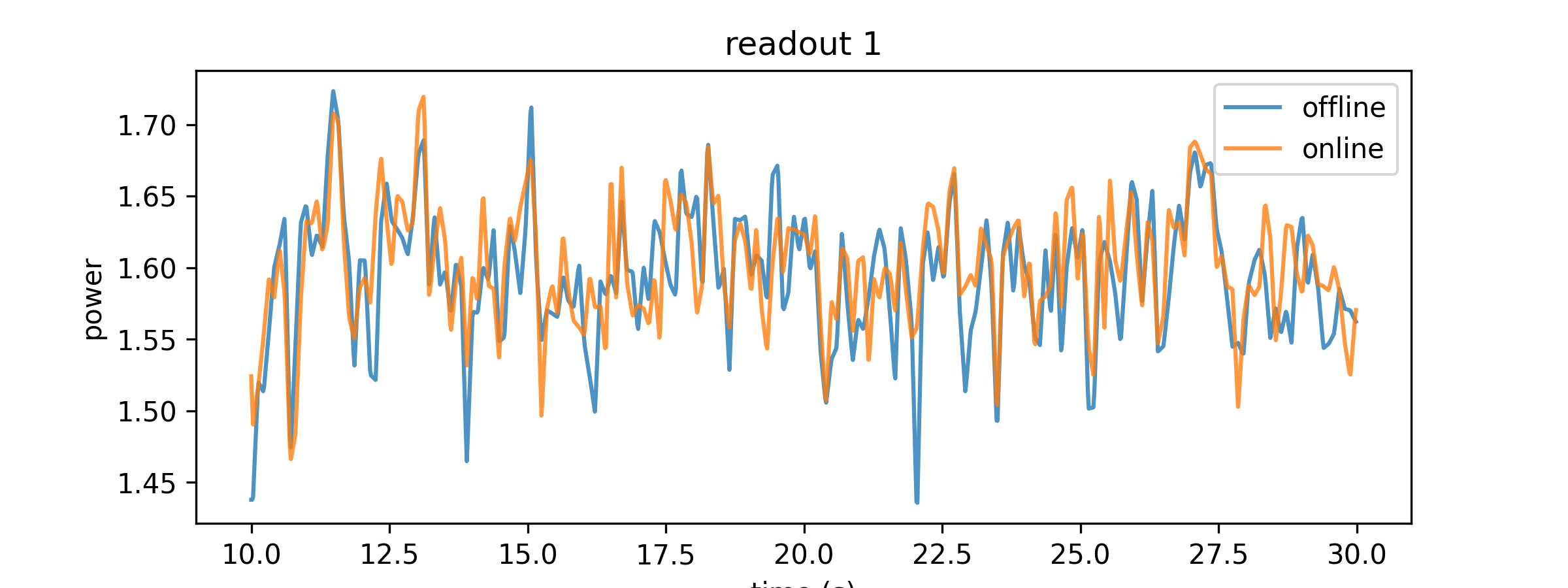
- aopy.data.bmi3d.extract_lfp_features(preproc_dir, subject, te_id, date, decoder, samplerate=None, channels=None, start_time=None, end_time=None, latency=0.02, datatype='lfp', preproc=None, **kwargs)[source]
Extracts features from a BMI3D experiment using data aligned to the timestamps of the experiment. Using this function, you can replicate closely the features that would have been extracted from a real-time BMI3D experiment, even if the experiment did not include a decoder.
- Parameters:
preproc_dir (str) – base directory where the files live
subject (str) – Subject name
te_id (int) – Block number of Task entry object
date (str) – Date of recording
decoder (riglib.bmi.Decoder) – decoder object with binlen and call_rate attributes
samplerate (float, optional) – optionally choose the samplerate of the data in Hz. Default None, uses the sampling rate of the experiment.
channels (int array, optional) – which channel indices to load. If None (the default), uses the channels specified in the decoder.
start_time (float, optional) – time (in seconds) in the recording at which the desired segment starts
end_time (float, optional) – time (in seconds) in the recording at which the desired segment ends
latency (float, optional) – time (in seconds) to include before the trigger times
datatype (str, optional) – choice of ‘lfp’ or ‘broadband’ data to load. Defaults to ‘lfp’. If the sampling rate of the data is different from the decoder, the data will be downsampled by decimation.
preproc (fn, optional) – function mapping (state, fs) data to (state_new, fs_new). For example, a smoothing function.
kwargs – additional keyword arguments to pass to sample_timestamped_data
- Returns:
- tuple containing:
- feats (nt, nfeats): lfp features for the given channels after preprocessingsamplerate (float): the sampling rate of the states after preprocessing
- Return type:
tuple
Note
For best accuracy, use ‘broadband’ or other datatype without any filtering. Using filtered ‘lfp’ results in DC shifted features.
Examples
subject = 'affi'
te_id = 17269
date = '2024-05-03'
preproc_dir = data_dir
start_time = 10
end_time = 30
Extract features using
extract_lfp_features()and states usingextract_lfp_features()with decode=True:Get online extracted features from
get_extracted_features()and states fromget_decoded_states()for comparison:features_online, samplerate_online = get_extracted_features( preproc_dir, subject, te_id, date, decoder, start_time=start_time, end_time=end_time)
Plot the online and offline features:
time_offline = np.arange(len(features_offline))/samplerate_offline + start_time
time_online = np.arange(len(features_online))/samplerate_online + start_time

plt.figure(figsize=(8,3))
plt.plot(time_offline, features_offline[:,1], alpha=0.8, label='offline')
plt.plot(time_online, features_online[:,1], alpha=0.8, label='online')
plt.xlabel('time (s)')
plt.ylabel('power')
plt.legend()
plt.title('readout 1')
- aopy.data.bmi3d.filter_lfp_from_broadband(broadband_filepath, result_filepath, drive_number=1, mean_subtract=True, dtype='int16', max_memory_gb=1.0, **filter_kwargs)[source]
Filters local field potential (LFP) data from a given broadband signal file into an hdf file.
- Parameters:
broadband_filepath (str) – Path to the input broadband signal file.
result_filepath (str) – Path to save the filtered LFP data.
mean_subtract (bool, optional) – Whether to subtract the mean from the filtered LFP signal. Default is True.
dtype (str, optional) – Data type for the filtered LFP signal. Default is ‘int16’.
max_memory_gb (float, optional) – Maximum memory (in gigabytes) to use for filtering. Default is 1.0 GB.
**filter_kwargs – Additional keyword arguments to customize the filtering process. These arguments will be passed to the filtering function.
- Raises:
IOError – If the input broadband file is not found.
MemoryError – If the specified max_memory_gb is insufficient for the filtering process.
Note
This function is used in the
proc_lfp()wrapper.
- aopy.data.bmi3d.filter_lfp_from_ecube(ecube_filepath, result_filepath, drive_number=1, mean_subtract=True, dtype='int16', max_memory_gb=1.0, **filter_kwargs)[source]
Filters local field potential (LFP) data from an eCube recording file.
- Parameters:
ecube_filepath (str) – Path to the input eCube recording file.
result_filepath (str) – Path to save the filtered LFP data.
mean_subtract (bool, optional) – Whether to subtract the mean from the filtered LFP signal. Default is True.
dtype (str, optional) – Data type for the filtered LFP signal. Default is ‘int16’.
max_memory_gb (float, optional) – Maximum memory (in gigabytes) to use for filtering. Default is 1.0 GB.
**filter_kwargs – Additional keyword arguments to customize the filtering process. These arguments will be passed to the filtering function.
- Raises:
IOError – If the input eCube recording file is not found.
MemoryError – If the specified max_memory_gb is insufficient for the filtering process.
Note
This function is used in the
proc_lfp()wrapper.
- aopy.data.bmi3d.get_decoded_states(preproc_dir, subject, te_id, date, decoder, samplerate=None, start_time=None, end_time=None, preproc=None, **kwargs)[source]
Fetches online decoded states from readouts in a BCI experiment. Wrapper around get_task_data.
- Parameters:
preproc_dir (str) – base directory where the files live
subject (str) – Subject name
te_id (int) – Block number of Task entry object
date (str) – Date of recording
decoder (riglib.bmi.Decoder) – decoder object with binlen and call_rate attributes
samplerate (float, optional) – optionally choose the samplerate of the data in Hz. Default None, uses the sampling rate of the experiment.
start_time (float, optional) – start time of the segment to load (in seconds). Default None, which loads from the beginning of the data.
end_time (float, optional) – end time of the segment to load (in seconds). Default None, which loads until the end of the data.
preproc (fn, optional) – function mapping (state, fs) data to (state_new, fs_new). For example, a smoothing function.
kwargs – additional keyword arguments to pass to sample_timestamped_data
- Returns:
- tuple containing:
- state (nt, nstate): decoded states from the given experiment after preprocessingsamplerate (float): the sampling rate of the states after preprocessing
- Return type:
tuple
- aopy.data.bmi3d.get_e3v_video_frame_data(digital_data, sync_channel_idx, trigger_channel_idx, samplerate)[source]
Compute pulse times and duty cycles from e3vision video data frames collected on an ecube digital panel.
- Parameters:
digital_data (nt, nch) – array of data read from ecube digital panel
sync_channel_idx (int) – sync channel to read from digital_data. Indicates each video frame.
trigger_channel_idx (int) – trigger channel to read from digital_data. Indicates start/end video triggers.
sample_rate (numeric) – data sampling rate (Hz)
- Returns:
array of floats indicating pulse start times duty_cycle (np.array): array of floats indicating pulse duty cycle (quotient of pulse width and pulse period)
- Return type:
pulse_times (np.array)
- aopy.data.bmi3d.get_ecube_data_sources(data_dir)[source]
Lists the available data sources in a given data directory
- Parameters:
data_dir (str) – eCube data directory
- Returns:
available sources (AnalogPanel, Headstages, etc.)
- Return type:
str array
- aopy.data.bmi3d.get_ecube_digital_input_times(path, data_dir, ch)[source]
Computes the times when digital input turns on or off in ecube For synchronizing openephys with ecube, use ch=-1.
Args: path (str): base directory where ecube data is stored data_dir (str): folder you want to load ch (str): digital channel
- Returns:
- Tuple containing:
- on_times (n_times): times at which sync line turned onoff_times (n_times): times at which sync line turned off
- Return type:
tuple
- aopy.data.bmi3d.get_extracted_features(preproc_dir, subject, te_id, date, decoder, samplerate=None, start_time=None, end_time=None, datatype='lfp_power', preproc=None, **kwargs)[source]
Fetches online extracted features from readouts of a BCI experiment. Wrapper around get_task_data.
- Parameters:
preproc_dir (str) – base directory where the files live
subject (str) – Subject name
te_id (int) – Block number of Task entry object
date (str) – Date of recording
decoder (riglib.bmi.Decoder) – decoder object with binlen and call_rate attributes
samplerate (float, optional) – optionally choose the samplerate of the data in Hz. Default None, uses the sampling rate of the experiment.
start_time (float, optional) – start time of the segment to load (in seconds). Default None, which loads from the beginning of the data.
end_time (float, optional) – end time of the segment to load (in seconds). Default None, which loads until the end of the data.
datatype (str, optional) – type of features to load. Defaults to ‘lfp_power’.
preproc (fn, optional) – function mapping (state, fs) data to (state_new, fs_new). For example, a smoothing function.
kwargs – additional keyword arguments to pass to sample_timestamped_data
- Returns:
- tuple containing:
- state (nt, nfeats): decoded states from the given experiment after preprocessingsamplerate (float): the sampling rate of the states after preprocessing
- Return type:
tuple
- aopy.data.bmi3d.get_interp_task_data(exp_data, exp_metadata, datatype='cursor', samplerate=1000, step=1, **kwargs)[source]
Gets interpolated data from preprocessed experiment task cycles to the desired sampling rate. Cursor kinematics are returned in screen coordinates, while user input kinematics are returned either in their original raw coordinate system with datatype=’user_raw’ (e.g. optitrack coordinates), in world coordinates with datatype=’user_world’, or in screen coordinates with datatype=’user_screen’ (similar to cursor kinematics but without any bounding under position control).
- Parameters:
exp_data (dict) – A dictionary containing the experiment data.
exp_metadata (dict) – A dictionary containing the experiment metadata.
datatype (str, optional) – The type of kinematic data to interpolate. - ‘cursor’ for cursor kinematics - ‘user_raw’ for raw input coordinates - ‘user_world’ for user input in world coordinates - ‘user_screen’ for user input in screen coordinates - ‘reference’ for reference kinematics - ‘disturbance’ for disturbance kinematics - ‘targets’ for target positions - other datatypes if they exist as exp_data[‘task’][<datatype>]
samplerate (float, optional) – The desired output sampling rate in Hz. Defaults to 1000.
step (int, optional) – task data will be decimated with steps this big. Default 1.
**kwargs – Additional keyword arguments to pass to sample_timestamped_data()
- Returns:
- Kinematic data interpolated and filtered
to the desired sampling rate.
- Return type:
data_time (ns, …)
Examples
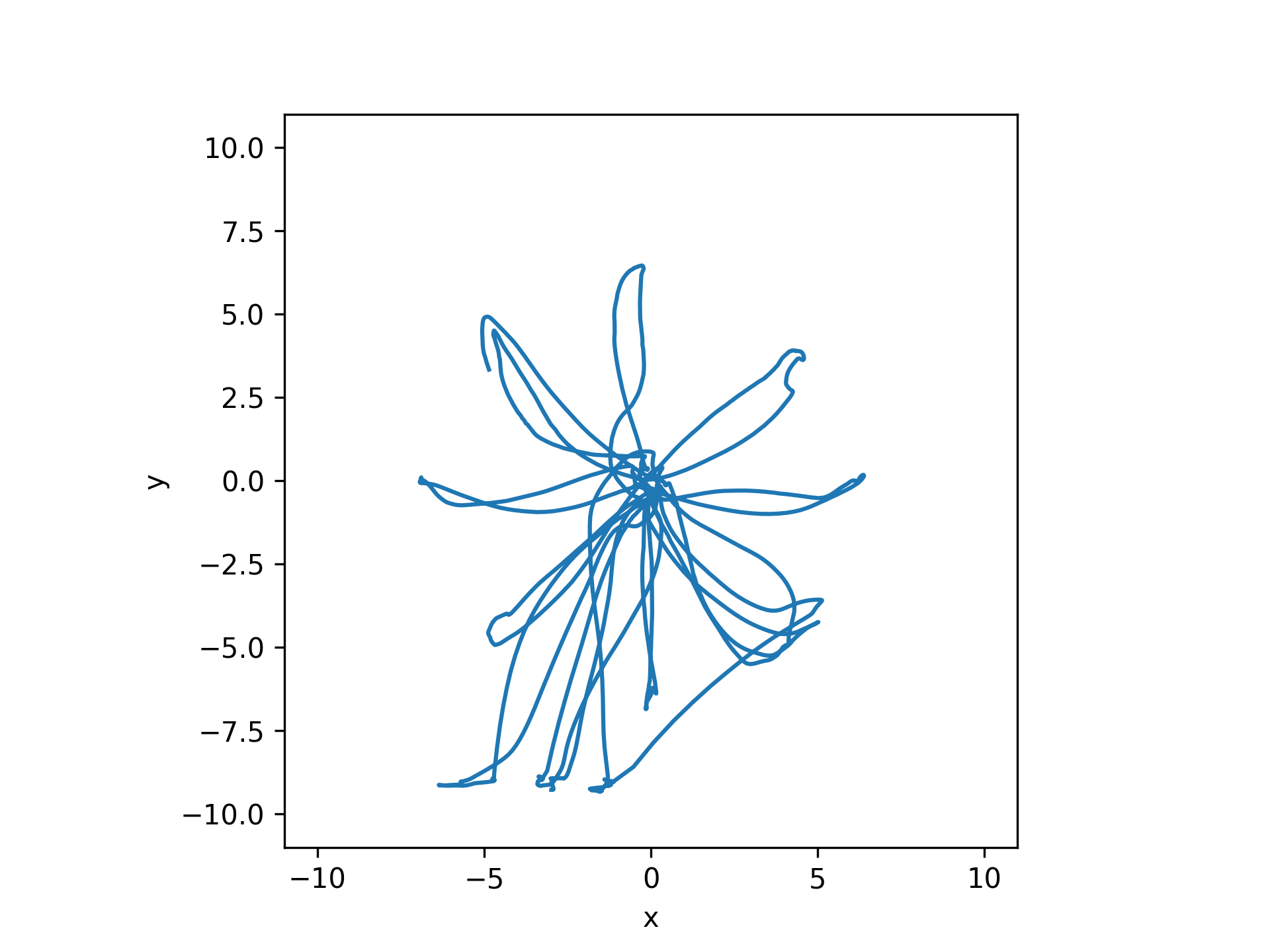
Cursor kinematics in screen coordinates (datatype ‘cursor’)
exp_data, exp_metadata = load_preproc_exp_data(preproc_dir, 'test',  3498, '2021-12-13')
cursor_interp = get_interp_task_data(exp_data, exp_metadata, datatype='cursor', samplerate=100)

plt.figure()
visualization.plot_trajectories([cursor_interp], [-10, 10, -10, 10])
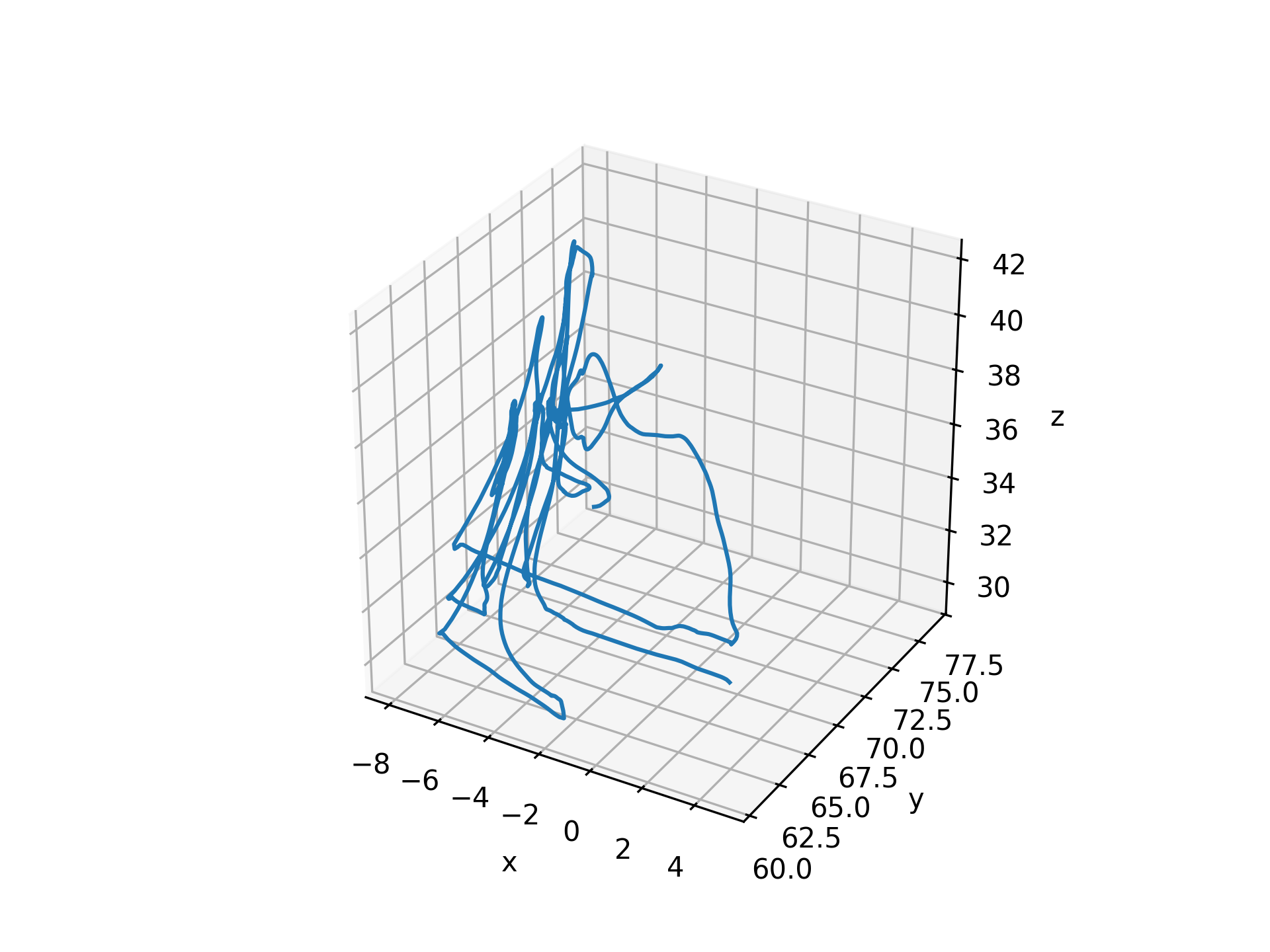
Raw input kinematics (datatype ‘user_raw’, ‘hand’, or ‘manual_input’)
hand_interp = get_interp_task_data(exp_data, exp_metadata, datatype='hand', samplerate=100)
ax = plt.axes(projection='3d')
visualization.plot_trajectories([hand_interp], [-10, 10, -10, 10, -10, 10])
User input kinematics in world coordinates (datatype ‘user_world’)
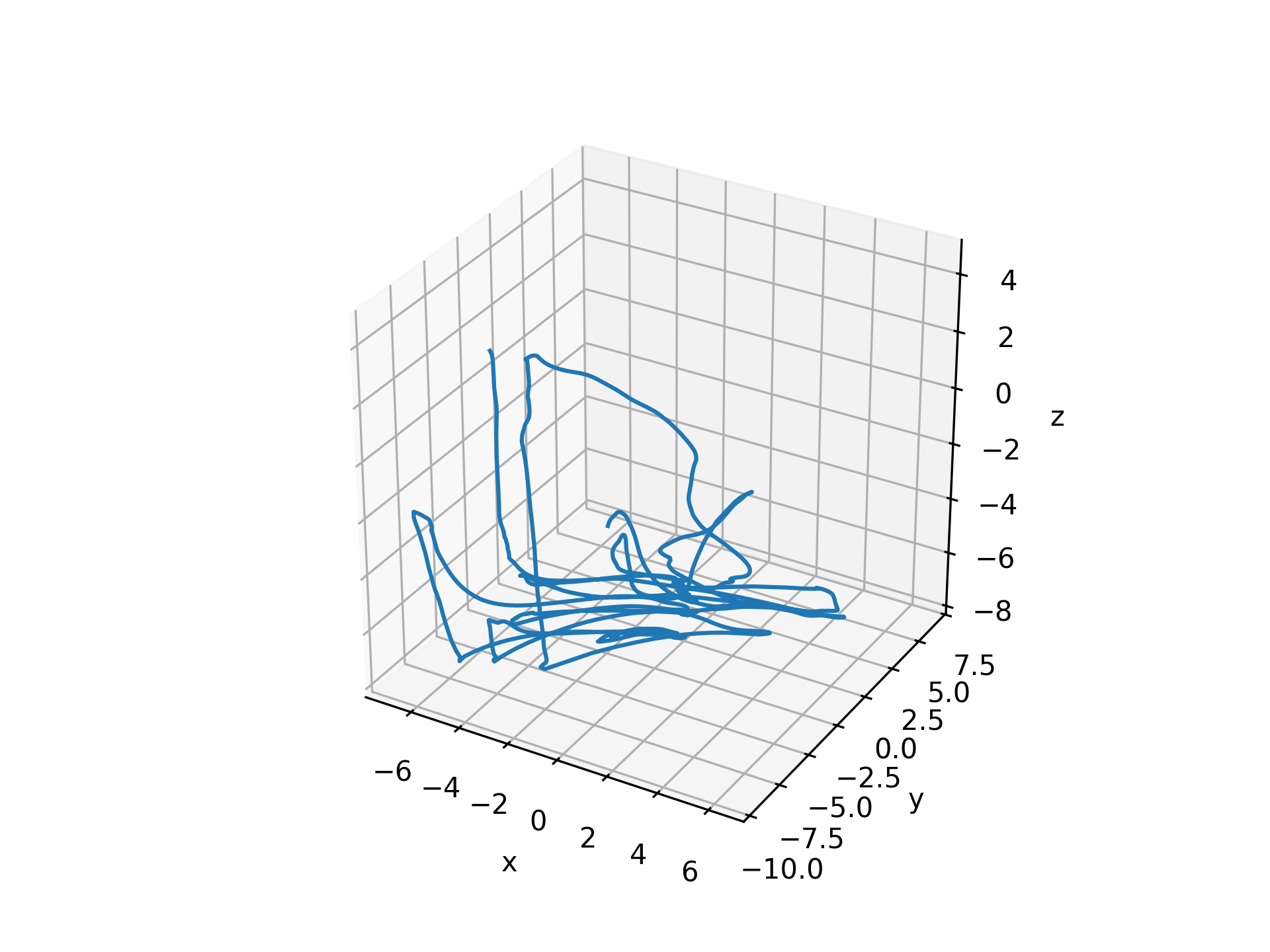
user_world = get_interp_task_data(exp_data, exp_metadata, datatype='user_world', samplerate=100)
ax = plt.axes(projection='3d')
visualization.plot_trajectories([user_world], [-10, 10, -10, 10, -10, 10])
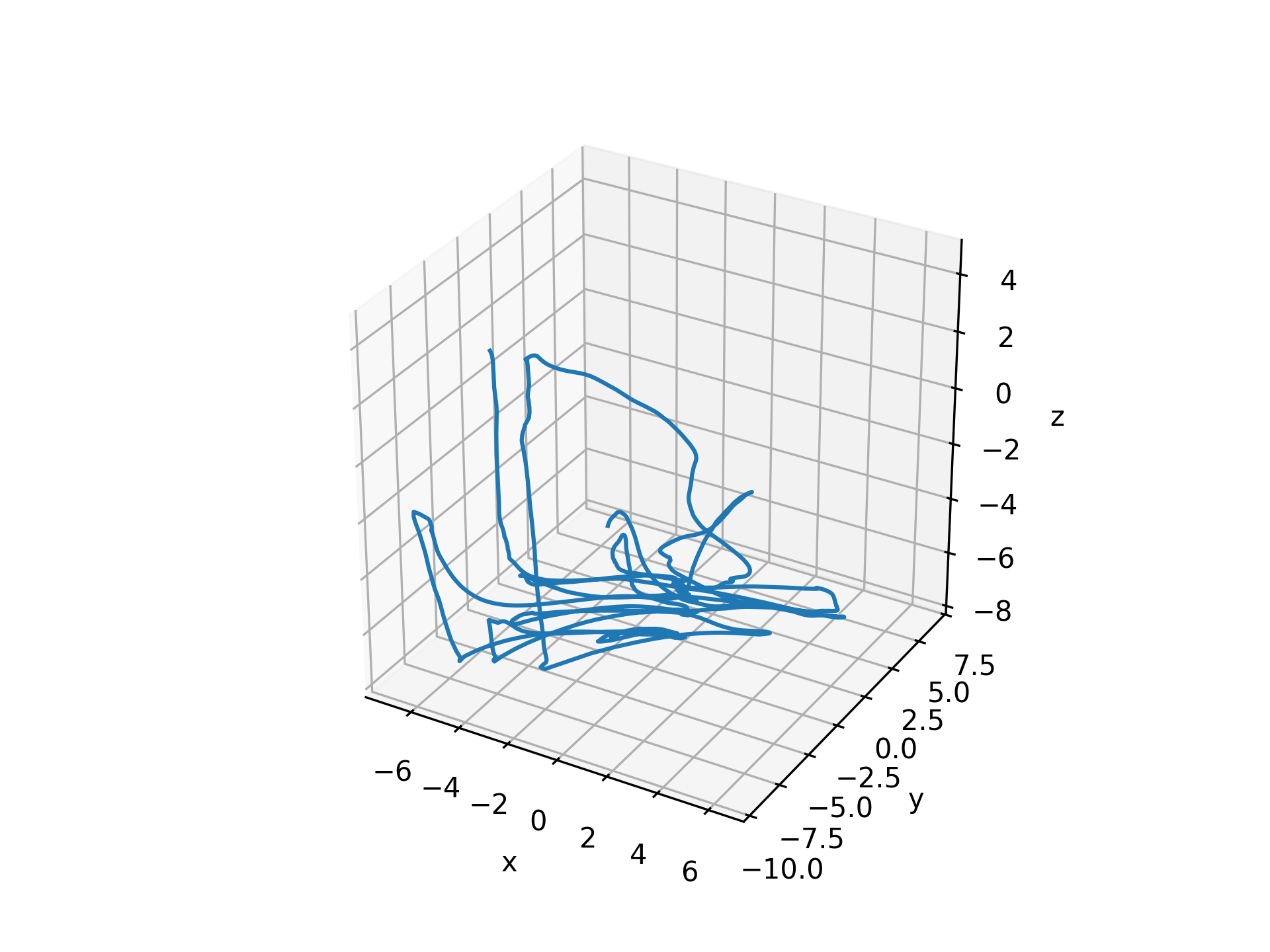
User input kinematics in screen coordinates (datatype ‘user_screen’)
user_screen = get_interp_task_data(exp_data, exp_metadata, datatype='user_screen', samplerate=100)
ax = plt.axes(projection='3d')
visualization.plot_trajectories([user_screen], [-10, 10, -10, 10, -10, 10])
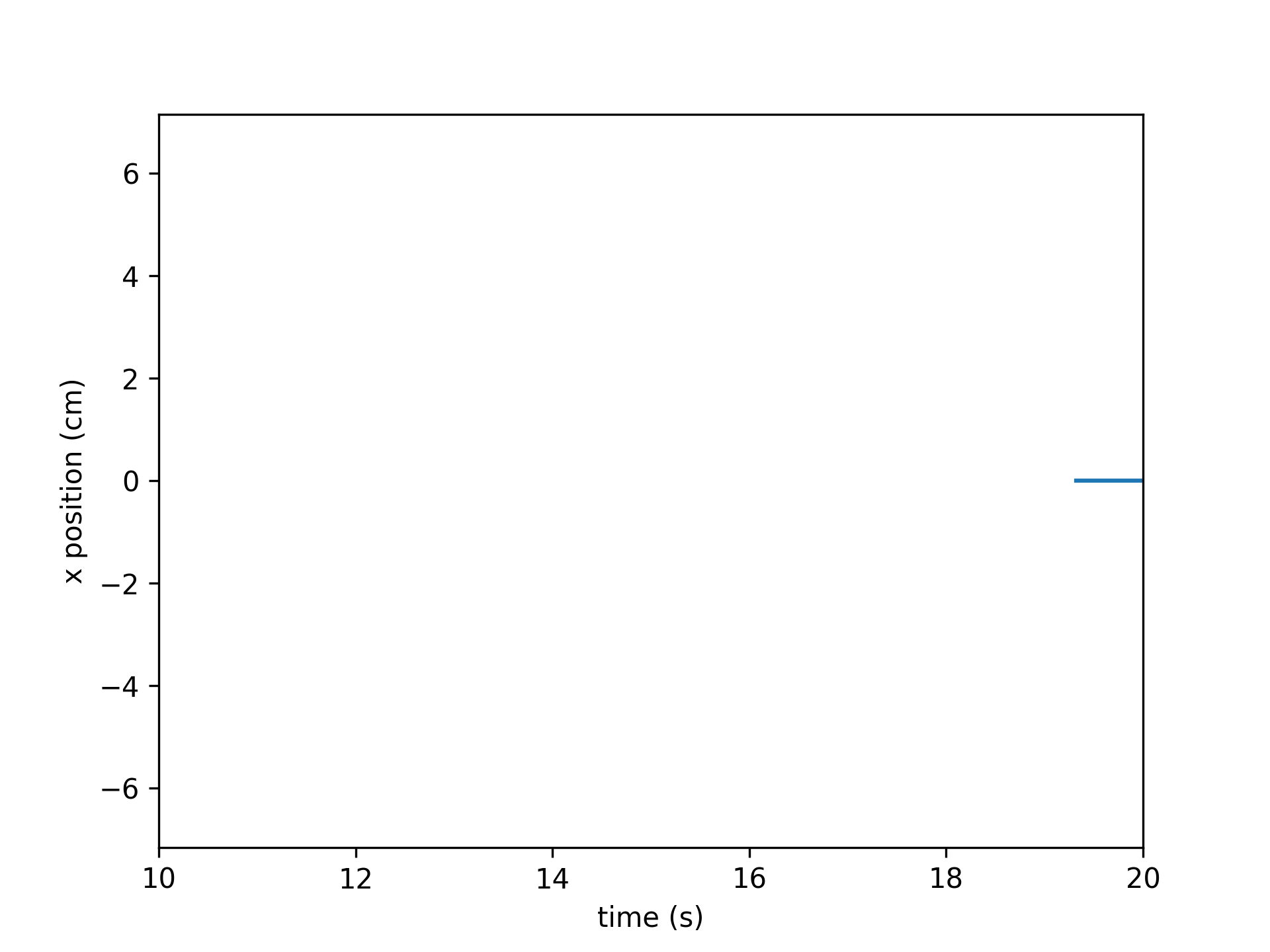
Target positions (datatype ‘target’)
targets_interp = get_interp_task_data(exp_data, exp_metadata, datatype='targets', samplerate=100)
time = np.arange(len(targets_interp))/100
plt.plot(time, targets_interp[:,:,0]) # plot just the x coordinate
plt.xlim(10, 20)
plt.xlabel('time (s)')
plt.ylabel('x position (cm)')
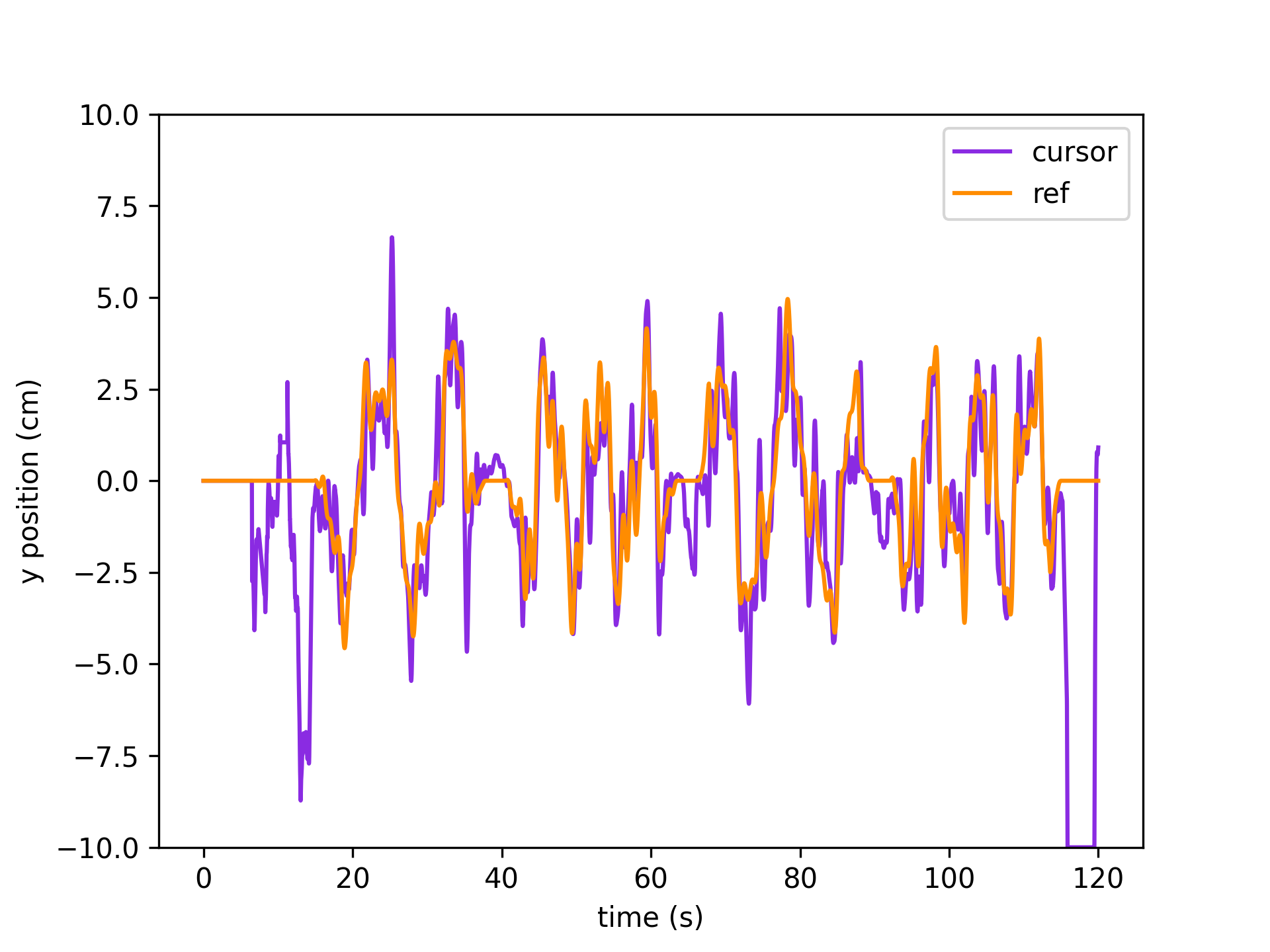
Cursor and target (datatype ‘reference’) kinematics
exp_data, exp_metadata = load_preproc_exp_data(data_dir, 'test', 8461, '2023-02-25')
cursor_interp = get_interp_task_data(exp_data, exp_metadata, datatype='cursor', samplerate=exp_metadata['fps'])
ref_interp = get_interp_task_data(exp_data, exp_metadata, datatype='reference', samplerate=exp_metadata['fps'])
time = np.arange(exp_metadata['fps']*120)/exp_metadata['fps']
plt.plot(time, cursor_interp[:int(exp_metadata['fps']*120),1], color='blueviolet', label='cursor') # plot just the y coordinate
plt.plot(time, ref_interp[:int(exp_metadata['fps']*120),1], color='darkorange', label='ref')
plt.xlabel('time (s)')
plt.ylabel('y position (cm)'); plt.ylim(-10,10)
plt.legend()
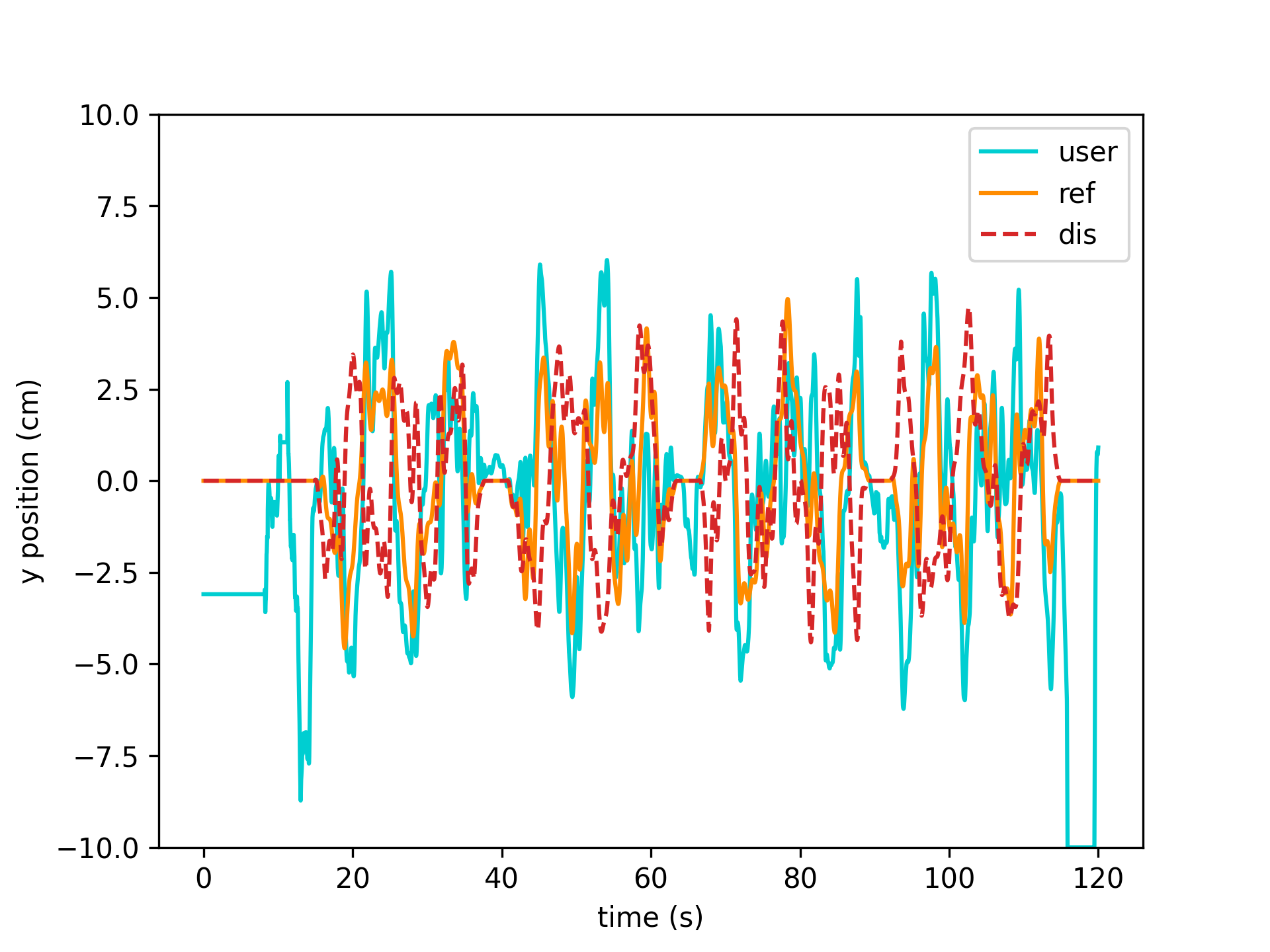
User, reference, and disturbance kinematics
user_interp = get_interp_task_data(exp_data, exp_metadata, datatype='user', samplerate=exp_metadata['fps'])
ref_interp = get_interp_task_data(exp_data, exp_metadata, datatype='reference', samplerate=exp_metadata['fps'])
dis_interp = get_interp_task_data(exp_data, exp_metadata, datatype='disturbance', samplerate=exp_metadata['fps'])
time = np.arange(exp_metadata['fps']*120)/exp_metadata['fps']
plt.plot(time, user_interp[:int(exp_metadata['fps']*120),1], color='darkturquoise', label='user')
plt.plot(time, ref_interp[:int(exp_metadata['fps']*120),1], color='darkorange', label='ref')
plt.plot(time, dis_interp[:int(exp_metadata['fps']*120),1], color='tab:red', linestyle='--', label='dis')
plt.xlabel('time (s)')
plt.ylabel('y position (cm)'); plt.ylim(-10,10)
plt.legend()
- Changes:
2023-10-20: Added support for ‘targets’ datatype 2024-01-29: Removed kinematic filtering below 15 Hz. See
filter_kinematics().
- aopy.data.bmi3d.get_kinematic_segments(preproc_dir, subject, te_id, date, trial_start_codes, trial_end_codes, trial_filter=<function <lambda>>, datatype='cursor', deriv=0, norm=False, samplerate=1000, **kwargs)[source]
Loads x,y,z cursor, hand, or eye trajectories for each “trial” from a preprocessed HDF file. Trials can be specified by numeric start and end codes. Trials can also be filtered so that only successful trials are included, for example. The filter is applied to numeric code segments for each trial. Finally, the cursor data can be preprocessed by a supplied function to, for example, convert position to velocity estimates. The preprocessing function is applied to the (time, position) cursor or eye data.
See also
get_kinematic_segment(),get_kinematics()Example
subject = ‘beignet’ te_id = 4301 date = ‘2021-01-01’ trial_filter = lambda t: TRIAL_END not in t trajectories, segments = get_kinematic_segments(preproc_dir, subject, te_id, date,
[CURSOR_ENTER_CENTER_TARGET], [REWARD, TRIAL_END], trial_filter=trial_filter)
- Parameters:
preproc_dir (str) – base directory where the files live
subject (str) – Subject name
te_id (int) – Block number of Task entry object
date (str) – Date of recording
trial_start_codes (list) – list of numeric codes representing the start of a trial
trial_end_codes (list) – list of numeric codes representing the end of a trial
trial_filter (fn, optional) – function mapping trial segments to boolean values. Any trials for which the filter returns False will not be included in the output
datatype (str, optional) – type of kinematics to load. Defaults to ‘cursor’.
deriv (int, optional) – order of the derivative to compute. Default 0, no derivative.
norm (bool, optional) – if the output segments should be vector normalized at each timepoint. Default False.
samplerate (float, optional) – optionally choose the samplerate of the data in Hz. Default 1000.
kwargs – additional keyword arguments to pass to get_kinematics
- Returns:
- tuple containing:
- trajectories (ntrial): array of filtered cursor trajectories for each trialtrial_segments (ntrial): array of numeric code segments for each trial
- Return type:
tuple
Note
The sampling rate of the returned data might be different from the requested sampling rate if the preprocessing function does any modification to the length of the data.
Modified September 2023 to include optional sampling rate argument Modified July 2025 to include optional deriv and norm arguments
- aopy.data.bmi3d.get_kinematics(preproc_dir, subject, te_id, date, samplerate, datatype='cursor', deriv=0, norm=False, filter_kinematics=False, **kwargs)[source]
Return all kinds of kinematics from preprocessed data. Caches the data for faster loading.
- Parameters:
preproc_dir (str) – base directory where the files live
subject (str) – Subject name
te_id (int) – Block number of Task entry object
date (str) – Date of recording
samplerate (float) – the desired samplerate of the data in Hz.
datatype (str, optional) – type of kinematics to load. Defaults to ‘cursor’.
deriv (int, optional) – order of the derivative to compute. Default 0, no derivative.
norm (bool, optional) – if the output segments should be vector normalized at each timepoint. Default False.
filter_kinematics (bool, optional) – if True, the kinematics will be filtered. Default False.
kwargs – additional keyword arguments to pass to get_interp_task_data
- Raises:
ValueError – if the datatype is invalid
- Returns:
- tuple containing:
- kinematics (nt, nch): kinematics from the given experiment after preprocessingsamplerate (float): the sampling rate of the kinematics after preprocessing
- Return type:
tuple
- aopy.data.bmi3d.get_lfp_aligned(preproc_dir, subject, te_id, date, trial_start_codes, trial_end_codes, time_before, time_after, drive_number=None, trial_filter=<function <lambda>>)[source]
Loads lfp data (same length for each trial) from a preprocessed HDF file. Trials can be specified by numeric start and end codes. Trials can also be filtered so that only successful trials are included, for example. The filter is applied to numeric code segments for each trial.
- Parameters:
preproc_dir (str) – base directory where the files live
subject (str) – Subject name
te_id (int) – Block number of Task entry object
date (str) – Date of recording
trial_start_codes (list) – list of numeric codes representing the start of a trial
trial_end_codes (list) – list of numeric codes representing the end of a trial
time_before (float) – time before the trial start to include in the aligned lfp (in seconds)
time_after (float) – time after the trial end to include in the aligned lfp (in seconds)
trial_filter (fn, optional) – function mapping trial segments to boolean values. Any trials for which the filter returns False will not be included in the output
- Returns:
aligned lfp data output from func:aopy.preproc.trial_align_data
- Return type:
(ntrials, nt, nch)
- aopy.data.bmi3d.get_lfp_segments(preproc_dir, subject, te_id, date, trial_start_codes, trial_end_codes, drive_number=None, trial_filter=<function <lambda>>)[source]
Loads lfp segments (different length for each trial) from a preprocessed HDF file. Trials can be specified by numeric start and end codes. Trials can also be filtered so that only successful trials are included, for example. The filter is applied to numeric code segments for each trial.
- Parameters:
preproc_dir (str) – path to the preprocessed directory
preproc_dir – base directory where the files live
subject (str) – Subject name
te_id (int) – Block number of Task entry object
date (str) – Date of recording
trial_start_codes (list) – list of numeric codes representing the start of a trial
trial_end_codes (list) – list of numeric codes representing the end of a trial
trial_filter (fn, optional) – function mapping trial segments to boolean values. Any trials for which the filter returns False will not be included in the output
- Returns:
- tuple containing:
- lfp_segments (ntrial): array of filtered lfp segments for each trialtrial_segments (ntrial): array of numeric code segments for each trial
- Return type:
tuple
- aopy.data.bmi3d.get_source_files(preproc_dir, subject, te_id, date)[source]
Retrieves the dictionary of source files from a preprocessed file
- Parameters:
preproc_dir (str) – base directory where the files live
subject (str) – Subject name
te_id (int) – Block number of Task entry object
date (str) – Date of recording
- Returns:
- tuple containing:
- ** files (dict):** dictionary of (source, filepath) files that are associated with the given experiment** data_dir (str):** directory where the source files were located
- Return type:
tuple
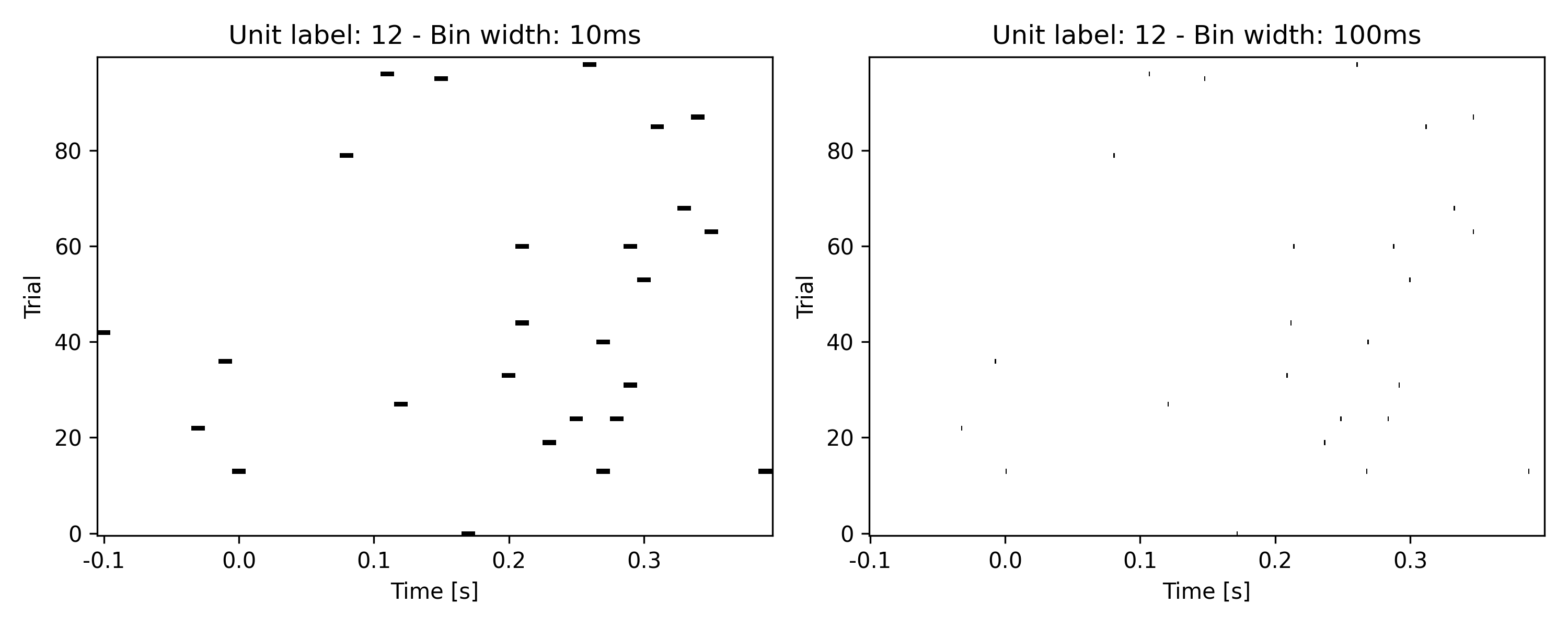
- aopy.data.bmi3d.get_spike_data_aligned(preproc_dir, subject, te_id, date, trigger_times, time_before, time_after, drive=1, bin_width=0.01)[source]
Loads spike data for a given subject and experiment, then aligns binned spike to trigger times.
- Parameters:
preproc_dir (str) – Path to the preprocessed data directory.
subject (str) – Subject name.
te_id (str) – Task entry number.
date (str) – The date of the experiment.
trigger_times (numpy.ndarray) – 1D Array of trigger times (in seconds) for each trial to which spike data should be aligned.
time_before (float) – The amount of time (in seconds) before each trigger time to include in the aligned spike data.
time_after (float) – The amount of time (in seconds) after each trigger time to include in the aligned spike data.
drive (int) – The drive number corresponding to the spike data.
bin_width (float, optional) – The width of the bins [s]. Default is 0.01 (10ms) seconds.
- Returns:
- A tuple containing:
- spike_aligned (numpy.ndarray): A 3D array of aligned spike data with shape (ntime, nunits, ntrials), where:
ntime is the number of time bins between time_before and time_after around each trigger.
nch is the number of units.
ntrials is the number of trials (trigger events).
unit_labels (list of str): A list of unit labels corresponding to the ‘nunits’ dimension in the aligned spike data.
bins (numpy.ndarray): The time bin centers relative to the trigger times.
- Return type:
tuple
- aopy.data.bmi3d.get_spike_data_segment(preproc_dir, subject, te_id, date, start_time, end_time, drive=1, bin_width=0.01)[source]
Loads and extracts a segment of spiking data for a given subject and experiment, optionally binning the spike times.
- Parameters:
preproc_dir (str) – Path to the preprocessed data directory.
subject (str) – Subject name.
te_id (str) – Task entry number.
date (str) – The date of the experiment.
start_time (float) – The start time [s] of the segment to extract.
end_time (float) – The end time [s] of the segment to extract.
drive (int, optional) – Which drive (port) to load data from.
bin_width (float, optional) – The width of the bins [s]. Default is 0.01 (10ms) seconds. If set to None, no binning is applied and spike times are returned.
- Returns:
- A tuple containing:
spike_segment (dict): A dictionary where keys are unit labels and values are arrays of spike times (or binned spike counts) for that unit.
bins (numpy.ndarray or None): An array of bin edges if binning was applied, otherwise None.
- Return type:
tuple
- aopy.data.bmi3d.get_target_locations(preproc_dir, subject, te_id, date, target_indices)[source]
Loads the x,y,z location of targets in a preprocessed HDF file given by their index. Requires that the preprocessed exp_data includes a trials structured array containing index and target fields (the default behavior of :func:~aopy.preproc.proc_exp)
- Parameters:
preproc_dir (str) – base directory where the files live
subject (str) – Subject name
te_id (int) – Block number of Task entry object
date (str) – Date of recording
target_indices (ntarg) – a list of which targets to fetch
- Returns:
(ntarg x 3) array of coordinates of the given targets
- Return type:
ndarray
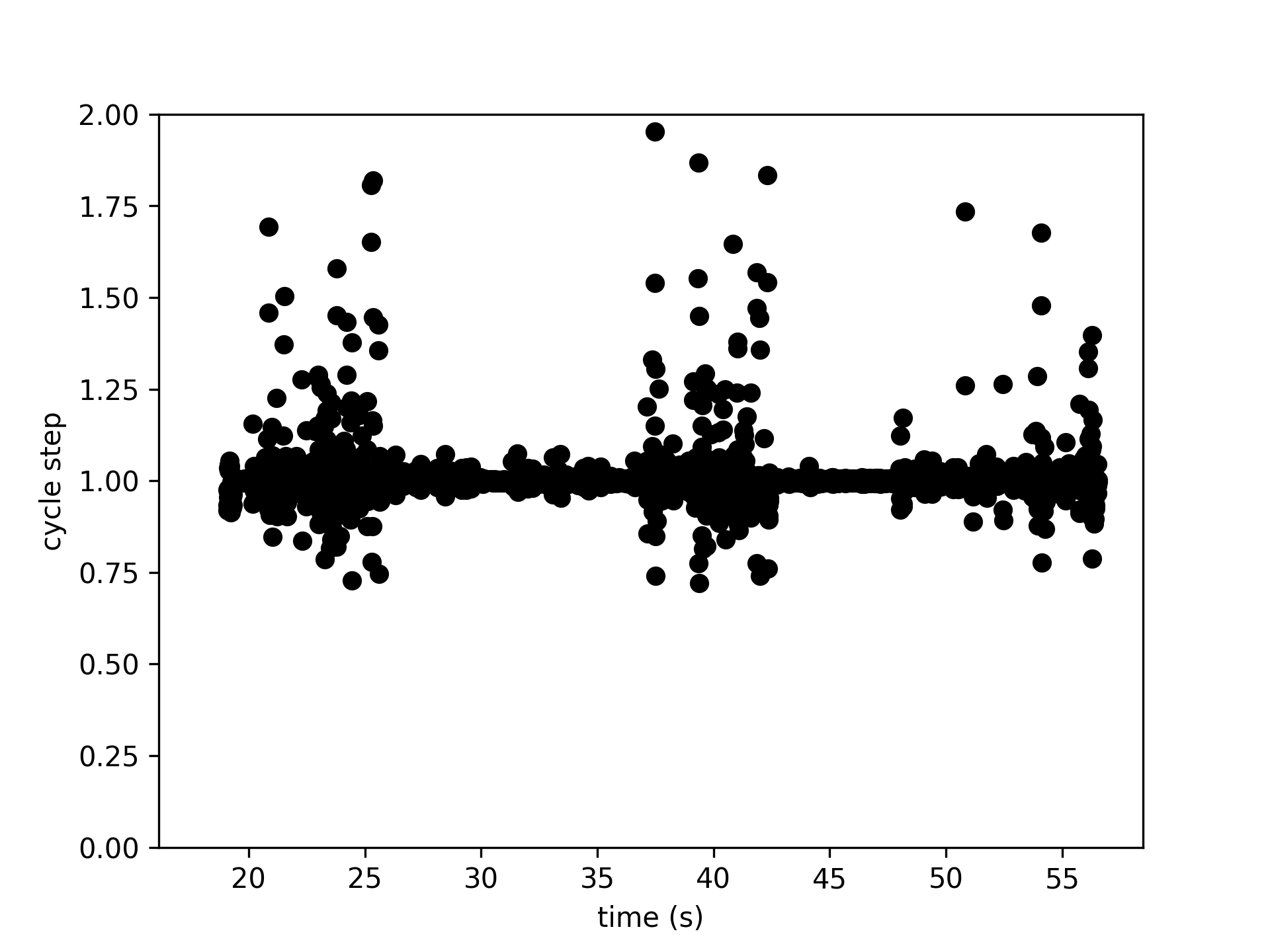
- aopy.data.bmi3d.get_task_data(preproc_dir, subject, te_id, date, datatype, samplerate=None, step=1, preproc=None, **kwargs)[source]
Return interpolated task data. Wraps
get_interp_task_data()but caches the data for faster loading.- Parameters:
preproc_dir (str) – base directory where the files live
subject (str) – Subject name
te_id (int) – Block number of Task entry object
date (str) – Date of recording
datatype (str) – column of task data to load.
samplerate (float) – choose the samplerate of the data in Hz. Default None, which uses the sampling rate of the experiment.
step (int, optional) – task data will be decimated with steps this big. Default 1.
preproc (fn, optional) – function mapping (position, fs) data to (kinematics, fs_new). For example, a smoothing function or an estimate of velocity from position
kwargs – additional keyword arguments to pass to get_interp_task_data
- Raises:
ValueError – if the datatype is invalid
- Returns:
- tuple containing:
- kinematics (nt, nch): kinematics from the given experiment after preprocessingsamplerate (float): the sampling rate of the kinematics after preprocessing
- Return type:
tuple
Examples
subject = 'beignet'
te_id = 4301
date = '2021-01-01'
ts_data, samplerate = get_task_data(preproc_dir, subject, te_id, date, 'cycle')
time = np.arange(len(ts_data))/samplerate
plt.figure()
plt.plot(time[1:], 1/np.diff(ts_data), 'ko')
plt.xlabel('time (s)')
plt.ylabel('cycle step')
plt.ylim(0, 2)
- aopy.data.bmi3d.get_trajectory_frequencies(preproc_dir, subject, te_id, date)[source]
For continuous tracking tasks, get the set of frequencies (in Hz) used to generate the trajectories that were preesented on each trial of the experiment, using
get_ref_dis_frequencies().- Parameters:
preproc_dir (str) – base directory where the files live
subject (str) – Subject name
te_id (int) – Block number of Task entry object
date (str) – Date of recording
- Returns:
- Tuple containing:
- freq_r (list of arrays): (ntrial) list of (nfreq,) frequencies used to generate reference trajectoryfreq_d (list of arrays): (ntrial) list of (nfreq,) frequencies used to generate disturbance trajectory
- Return type:
tuple
- aopy.data.bmi3d.get_ts_data_segment(preproc_dir, subject, te_id, date, start_time, end_time, drive_number=None, channels=None, datatype='lfp')[source]
Simple wrapper around load_hdf_ts_segment for lfp or broadband data.
- Parameters:
preproc_dir (str) – base directory where the files live
subject (str) – Subject name
te_id (int) – Block number of Task entry object
date (str) – Date of recording
trigger_time (float) – time (in seconds) in the recording at which the desired segment starts
time_before (float) – time (in seconds) to include before the trigger times
time_after (float) – time (in seconds) to include after the trigger times
channels (int array, optional) – which channel indices to load
datatype (str, optional) – choice of ‘lfp’ or ‘broadband’ data to load. Defaults to ‘lfp’.
- Returns:
- tuple containing:
- segment (nt, nch): data segment from the given preprocessed filesamplerate (float): sampling rate of the returned data
- Return type:
tuple
- aopy.data.bmi3d.get_ts_data_trial(preproc_dir, subject, te_id, date, trigger_time, time_before, time_after, drive_number=None, channels=None, datatype='lfp')[source]
Simple wrapper around load_hdf_ts_trial for lfp or broadband data.
- Parameters:
preproc_dir (str) – base directory where the files live
subject (str) – Subject name
te_id (int) – Block number of Task entry object
date (str) – Date of recording
trigger_time (float) – time (in seconds) in the recording at which the desired segment starts
time_before (float) – time (in seconds) to include before the trigger times
time_after (float) – time (in seconds) to include after the trigger times
channels (int array, optional) – which channel indices to load
datatype (str, optional) – choice of ‘lfp’ or ‘broadband’ data to load. Defaults to ‘lfp’.
- Returns:
- tuple containing:
- segment (nt, nch): data segment from the given preprocessed filesamplerate (float): sampling rate of the returned data
- Return type:
tuple
- aopy.data.bmi3d.get_velocity_segments(*args, norm=True, **kwargs)[source]
Estimates velocity from cursor position, then finds the trial segments for velocity using
get_kinematic_segments().- Parameters:
*args – arguments for
get_kinematic_segments()norm (bool) – if the output segments should be normalized. Set to false to output component velocities.
**kwargs – parameters for
get_kinematic_segments()
- Returns:
- tuple containing:
- velocities (ntrial): array of velocity estimates for each trialtrial_segments (ntrial): array of numeric code segments for each trial
- Return type:
tuple
- aopy.data.bmi3d.load_bmi3d_hdf_table(data_dir, filename, table_name)[source]
Loads data and metadata from a table in an hdf file generated by BMI3D
- Parameters:
data_dir (str) – path to the data
filename (str) – name of the file to load from
table_name (str) – name of the table you want to load
- Returns:
- Tuple containing:
- data (ndarray): data from bmi3dmetadata (dict): attributes associated with the table
- Return type:
tuple
- aopy.data.bmi3d.load_bmi3d_lasers(filename='lasers.yaml')[source]
Load the config metadata for BMI3D lasers.
- Parameters:
filename (str, optional) – filename of the laser names to load. Defaults to ‘laser_names.yaml’.
- Returns:
- list of lasers available in the config. Each laser is a dictionary with keys
name: name of the laser
stimulation_site: name of the metadata key for the stimulation site
trigger: name of the metadata key for the trigger channel
trigger_dch: index of the trigger digital channel
sensor: name of the metadata key for the sensor channel
sensor_ach: index of the sensor analog channel
- Return type:
list
- aopy.data.bmi3d.load_bmi3d_root_metadata(data_dir, filename)[source]
Root metadata not accessible using pytables, instead use h5py
- Parameters:
data_dir (str) – path to the data
filename (str) – name of the file to load from
- Returns:
key-value attributes
- Return type:
dict
- aopy.data.bmi3d.load_bmi3d_task_codes(filename='task_codes.yaml')[source]
Load the default BMI3D task codes. File-specific codes can be found in exp_metadata[‘event_sync_dict’]
- Parameters:
filename (str, optional) – filename of the task codes to load. Defaults to ‘task_codes.yaml’.
- Returns:
(name, code) task code dictionary
- Return type:
dict
- aopy.data.bmi3d.load_ecube_analog(path, data_dir, channels=None)[source]
Just a wrapper around load_ecube_data() and load_ecube_metadata()
- Parameters:
path (str) – base directory where ecube data is stored
data_dir (str) – folder you want to load
channels (int array, optional) – which channels to load
- Returns:
- Tuple containing:
- data (nt, nch): analog data for the requested channelsmetadata (dict): metadata (see load_ecube_metadata() for details)
- Return type:
tuple
- aopy.data.bmi3d.load_ecube_data(data_dir, data_source, channels=None)[source]
Loads data from eCube for a given directory and datasource
Requires load_ecube_metadata(), process_channels()
- Parameters:
data_dir (str) – folder containing the data you want to load
data_source (str) – type of data (“Headstages”, “AnalogPanel”, “DigitalPanel”)
channels (int array or None) – list of channel numbers (0-indexed) to load. If None, will load all channels by default
- Returns:
all the data for the given source
- Return type:
(nt, nch)
- aopy.data.bmi3d.load_ecube_data_chunked(data_dir, data_source, channels=None, chunksize=728)[source]
Loads a data file one “chunk” at a time. Useful for replaying files as if they were online data.
- Parameters:
data_dir (str) – folder containing the data you want to load
data_source (str) – type of data (“Headstages”, “AnalogPanel”, “DigitalPanel”)
channels (int array or None) – list of channel numbers (0-indexed) to load. If None, will load all channels by default
chunksize (int) – how many samples to include in each chunk
- Yields:
(chunksize, nch) – one chunk of data for the given source
- aopy.data.bmi3d.load_ecube_digital(path, data_dir)[source]
Just a wrapper around load_ecube_data() and load_ecube_metadata()
- Parameters:
path (str) – base directory where ecube data is stored
data_dir (str) – folder you want to load
- Returns:
- Tuple containing:
- data (nt): digital data, arranged as 64-bit numbers representing the 64 channelsmetadata (dict): metadata (see load_ecube_metadata() for details)
- Return type:
tuple
- aopy.data.bmi3d.load_ecube_headstages(path, data_dir, channels=None)[source]
Just a wrapper around load_ecube_data() and load_ecube_metadata()
- Parameters:
path (str) – base directory where ecube data is stored
data_dir (str) – folder you want to load
channels (int array, optional) – which channels to load
- Returns:
- Tuple containing:
- data (nt, nch): analog data for the requested channelsmetadata (dict): metadata (see load_ecube_metadata() for details)
- Return type:
tuple
- aopy.data.bmi3d.load_ecube_metadata(data_dir, data_source)[source]
Sums the number of channels and samples across all files in the data_dir
- Parameters:
data_dir (str) – eCube data directory
source (str) – selects the source (AnalogPanel, Headstages, etc.)
- Returns:
- Dictionary of metadata with fields:
- samplerate (float): sampling rate of data for this sourcedata_source (str): copied from the function argumentn_channels (int): number of channelsn_samples (int): number of samples for one channel
- Return type:
dict
- aopy.data.bmi3d.load_emg_analog(data_dir, emg_filename)[source]
Loads emg analog data
- Parameters:
data_dir (str) – base directory where emg data is stored
emg_filename (str) – hdf file you want to load
- Returns:
- Tuple containing:
- data (nt): analog datametadata (dict): metadata from the emg file containing samplerate
- Return type:
tuple
- aopy.data.bmi3d.load_emg_data(data_dir, emg_filename)[source]
Loads emg data
- Parameters:
data_dir (str) – base directory where emg data is stored
emg_filename (str) – hdf file you want to load
- Returns:
- Tuple containing:
- data (nt): emg datametadata (dict): metadata from the emg file containing samplerate
- Return type:
tuple
- aopy.data.bmi3d.load_emg_digital(data_dir, emg_filename)[source]
Loads and converts emg analog data to 64-bit digital data.
- Parameters:
data_dir (str) – base directory where emg data is stored
emg_filename (str) – hdf file you want to load
- Returns:
- Tuple containing:
- data (nt): digital data, arranged as 64-bit numbersmetadata (dict): metadata from the emg file containing samplerate
- Return type:
tuple
- aopy.data.bmi3d.proc_ecube_data(data_path, data_source, result_filepath, result_name='broadband_data', max_memory_gb=1.0)[source]
Loads and saves eCube data into an HDF file
Requires load_ecube_metadata()
- Parameters:
data_path (str) – path to folder containing the ecube data you want to load
data_source (str) – type of data (“Headstages”, “AnalogPanel”, “DigitalPanel”)
result_filepath (str) – path to hdf file to be written (or appended)
max_memory_gb (float, optional) – max memory used to load binary data at one time
- Returns:
- tuple containing:
- dset (h5py.Dataset): the new hdf datasetmetadata (dict): the ecube metadata
- Return type:
tuple
- aopy.data.bmi3d.tabulate_behavior_data(preproc_dir, subjects, ids, dates, start_events, end_events, reward_events, penalty_events, metadata=[], df=None, event_code_type='code', return_bad_entries=False, repeating_start_codes=False)[source]
Concatenate trials from across experiments. Experiments are given as lists of subjects, task entry ids, and dates. Each list must be the same length. Trials are defined by intervals between the given trial start and end codes.
- Parameters:
preproc_dir (str) – base directory where the files live
subjects (list of str) – Subject name for each recording
ids (list of int) – Block number of Task entry object for each recording
dates (list of str) – Date for each recording
start_events (list) – list of numeric codes representing the start of a trial
end_events (list) – list of numeric codes representing the end of a trial
reward_events (list) – list of numeric codes representing rewards
penalty_events (list) – list of numeric codes representing penalties
metadata (list, optional) – list of metadata keys that should be included in the df
df (DataFrame, optional) – pandas DataFrame object to append. Defaults to None.
event_code_type (str, optional) – type of event codes to use. Defaults to ‘code’. Other choices include ‘event’ and ‘data’.
return_bad_entries (bool, optional) – If True, returns the list of task entries that could not be loaded. Defaults to False.
repeating_start_codes (bool) – whether the start codes might occur multiple times within one segment. Otherwise always use the last start code within a segment. May lead to segments spanning multiple trials if used improperly. Defaults to False.
- Returns:
- pandas DataFrame containing the concatenated trial data with columns:
- subject (str): subject namete_id (str): task entry iddate (str): date of recordingevent_codes (ntrial): numeric code segments for each trial (specified by event_code_type)event_times (ntrial): time segments for each trialevent_idx (ntrial): index segments for each trialreward (ntrial): boolean values indicating whether each trial was rewardedpenalty (ntrial): boolean values indicating whether each trial was penalized%metadata_key% (ntrial): requested metadata values for each key requested
- Return type:
pd.DataFrame
- aopy.data.bmi3d.tabulate_behavior_data_center_out(preproc_dir, subjects, ids, dates, metadata=[], df=None)[source]
Wrapper around tabulate_behavior_data() specifically for center-out experiments. Makes use of the task codes saved in /config/task_codes.yaml to automatically assign event codes for trial start, trial end, reward, penalty, and targets.
- Parameters:
preproc_dir (str) – base directory where the files live
subjects (list of str) – Subject name for each recording
ids (list of int) – Block number of Task entry object for each recording
dates (list of str) – Date for each recording
metadata (list, optional) – list of metadata keys that should be included in the df
df (DataFrame, optional) – pandas DataFrame object to append. Defaults to None.
- Returns:
- pandas DataFrame containing the concatenated trial data with columns:
- subject (str): subject namete_id (str): task entry iddate (str): date of recordingevent_codes (ntrial): numeric code segments for each trialevent_times (ntrial): time segments for each trialreward (ntrial): boolean values indicating whether each trial was rewardedpenalty (ntrial): boolean values indicating whether each trial was penalized%metadata_key% (ntrial): requested metadata values for each key requestedtarget_idx (ntrial): index of the target that was presentedtarget_location (ntrial): location of the target that was presentedcenter_target_on_time (ntrial): time at which the trial startedprev_trial_end_time (ntrial): time at which the previous trial endedtrial_end_time (ntrial): time at which the trial endedtrial_initiated (ntrial): boolean values indicating whether the trial was initiatedhold_start_time (ntrial): time at which the hold period startedhold_completed (ntrial): boolean values indicating whether the hold period was completeddelay_start_time (ntrial): time at which the delay period starteddelay_completed (ntrial): boolean values indicating whether the delay period was completedgo_cue_time (ntrial): time at which the go cue was presentedreach_completed (ntrial): boolean values indicating whether the reach was completedreach_end_time (ntrial): time at which the reach was completedreward_start_time (ntrial): time at which the reward was presentedpenalty_start_time (ntrial): time at which the penalty was presentedpenalty_event (ntrial): numeric code for the penalty eventpause_start_time (ntrial): time at which the pause occurredpause_event (ntrial): numeric code for the pause event
- Return type:
pd.DataFrame
Example
subject = 'test'
start_date = '2025-08-15'
end_date = '2025-08-16'
entries = db.lookup_mc_sessions(subject=subject, date=(date.fromisoformat(start_date), date.fromisoformat(end_date)), task_desc='center out with random delay')
subjects, te_ids, te_dates = db.list_entry_details(entries)

df = tabulate_behavior_data_center_out(preproc_dir, subjects, te_ids, te_dates)
display(df.head(8))

- aopy.data.bmi3d.tabulate_behavior_data_corners(preproc_dir, subjects, ids, dates, metadata=[], df=None)[source]
Wrapper around tabulate_behavior_data() specifically for corner reaching experiments. Makes use of the task codes saved in /config/task_codes.yaml to automatically assign event codes for trial start, trial end, reward, penalty, and targets.
- Parameters:
preproc_dir (str) – base directory where the files live
subjects (list of str) – Subject name for each recording
ids (list of int) – Block number of Task entry object for each recording
dates (list of str) – Date for each recording
metadata (list, optional) – list of metadata keys that should be included in the df
df (DataFrame, optional) – pandas DataFrame object to append. Defaults to None.
- Returns:
- pandas DataFrame containing the concatenated trial data with columns:
- subject (str): subject namete_id (str): task entry iddate (str): date of recordingevent_codes (ntrial): numeric code segments for each trialevent_times (ntrial): time segments for each trialevent_idx (ntrial): index segments for each trialreward (ntrial): boolean values indicating whether each trial was rewardedpenalty (ntrial): boolean values indicating whether each trial was penalized%metadata_key% (ntrial): requested metadata values for each key requestedsequence_params (ntrial): string of params used to generate all trajectories in the same task entrychain_length (ntrial): number of targets presented in each trialtarget_idx (ntrial): list of indices of the targets presentedtarget_location (ntrial): list of locations of the targets presentedprev_trial_end_time (ntrial): time at which the previous trial endedtrial_end_time (ntrial): time at which the trial endedfirst_target_on_time (ntrial): time at which the trial startedtrial_initiated (ntrial): boolean values indicating whether the trial was initiatedhold_start_time (ntrial): time at which the hold period startedhold_completed (ntrial): boolean values indicating whether the hold period was completeddelay_start_time (ntrial): time at which the delay period starteddelay_completed (ntrial): boolean values indicating whether the delay period was completedgo_cue_time (ntrial): time at which the go cue was presentedreach_completed (ntrial): boolean values indicating whether the reach was completedreach_end_time (ntrial): time at which the reach was completedreward_start_time (ntrial): time at which the reward was presentedpenalty_start_time (ntrial): time at which the penalty occurredpenalty_event (ntrial): numeric code for the penalty eventpause_start_time (ntrial): time at which the pause occurredpause_event (ntrial): numeric code for the pause event
- Return type:
pd.DataFrame
Example
subject = 'churro'
start_date = '2025-01-17'
end_date = '2025-01-18'
entries = db.lookup_mc_sessions(subject=subject, date=(date.fromisoformat(start_date), date.fromisoformat(end_date)))
subjects, te_ids, te_dates = db.list_entry_details(entries)

df = tabulate_behavior_data_corners(preproc_dir, subjects, te_ids, te_dates)
display(df.head(8))

- aopy.data.bmi3d.tabulate_behavior_data_flash(preproc_dir, subjects, ids, dates, metadata=[], df=None)[source]
Wrapper around tabulate_behavior_data() specifically for flash experiments. Uses the task event names (b’TARGET_ON’, b’REWARD’, and b’TRIAL_END’, specifically) to find start and end times for flash experiments.
- Parameters:
preproc_dir (str) – base directory where the files live
subjects (list of str) – Subject name for each recording
ids (list of int) – Block number of Task entry object for each recording
dates (list of str) – Date for each recording
metadata (list, optional) – list of metadata keys that should be included in the df
df (DataFrame, optional) – pandas DataFrame object to append. Defaults to None.
- Returns:
- pandas DataFrame containing the concatenated trial data with columns:
- subject (str): subject namete_id (str): task entry iddate (str): date of recordingevent_names (ntrial): event name segments for each trialevent_times (ntrial): time segments for each trial%metadata_key% (ntrial): requested metadata values for each key requestedflash_start_time (ntrial): time the flash startedflash_end_time (ntrial): time the flash ended
- Return type:
pd.DataFrame
- aopy.data.bmi3d.tabulate_behavior_data_out(preproc_dir, subjects, ids, dates, metadata=[], df=None)[source]
Wrapper around tabulate_behavior_data() specifically for out experiments (similar to center-out but without a trial-initiating center target). Makes use of the task codes saved in /config/task_codes.yaml to automatically assign event codes for trial start, trial end, reward, penalty, and targets.
- Parameters:
preproc_dir (str) – base directory where the files live
subjects (list of str) – Subject name for each recording
ids (list of int) – Block number of Task entry object for each recording
dates (list of str) – Date for each recording
metadata (list, optional) – list of metadata keys that should be included in the df
df (DataFrame, optional) – pandas DataFrame object to append. Defaults to None.
- Returns:
- pandas DataFrame containing the concatenated trial data with columns:
- subject (str): subject namete_id (str): task entry iddate (str): date of recordingevent_codes (ntrial): numeric code segments for each trialevent_times (ntrial): time segments for each trialreward (ntrial): boolean values indicating whether each trial was rewardedpenalty (ntrial): boolean values indicating whether each trial was penalized%metadata_key% (ntrial): requested metadata values for each key requestedtarget_idx (ntrial): index of the target that was presentedtarget_location (ntrial): location of the target that was presentedtrial_start_time (ntrial): time at which the trial startedtrial_end_time (ntrial): time at which the trial endedreach_completed (ntrial): boolean values indicating whether the reach was completedreach_end_time (ntrial): time at which the reach was completedreward_start_time (ntrial): time at which the reward was presentedpenalty_start_time (ntrial): time at which the penalty was presentedpenalty_event (ntrial): numeric code for the penalty eventpause_start_time (ntrial): time at which the pause occurredpause_event (ntrial): numeric code for the pause event
- Return type:
pd.DataFrame
- aopy.data.bmi3d.tabulate_behavior_data_random_targets(preproc_dir, subjects, ids, dates, metadata=[], df=None)[source]
Wrapper around tabulate_behavior_data() specifically for random target location experiments. Uses the task event names (b’TARGET_ON’ and b’TRIAL_END’, specifically) to find start and end times for experiments.
- Parameters:
preproc_dir (str) – base directory where the files live
subjects (list of str) – Subject name for each recording
ids (list of int) – Block number of Task entry object for each recording
dates (list of str) – Date for each recording
metadata (list, optional) – list of metadata keys that should be included in the df
df (DataFrame, optional) – pandas DataFrame object to append. Defaults to None.
- Returns:
- pandas DataFrame containing the concatenated trial data with columns:
- subject (str): subject namete_id (str): task entry iddate (str): date of recordingevent_names (ntrial): event name segments for each trialevent_times (ntrial): time segments for each trial%metadata_key% (ntrial): requested metadata values for each key requested**target_idx (ntrial): ** target index for each trial within a unique data session**target_loc (ntrial): ** target locations (x,y,z) for each trial**trial_end_time (ntrial): ** time at which trial ended**target on (ntrial): ** time at which target appears**penalty_event(ntrial): ** event description of penalty
Examples
Visualization of 5 reaches to random targets.
   subjects = ['Leo', 'Leo']
   ids = [1957, 1959]
   dates = ['2025-02-13', '2025-02-13']

   df = tabulate_behavior_data_random_targets(data_dir, subjects, ids, dates, metadata = ['sequence_params'])
   example_reaches = df[-5:] #last 5 reaches in the earlier dataframe
   example_traj = tabulate_kinematic_data(data_dir, example_reaches['subject'], example_reaches['te_id'],
                                   example_reaches['date'], example_reaches['target_on'],
                                   example_reaches['cursor_enter_target'], datatype = 'cursor')
   ex_targets = example_reaches['target_location'].to_numpy()
   bounds = [-5,5,-5,5,-5,5] #equal bounds to make visualization appear as spheres
   default_colors = plt.rcParams['axes.prop_cycle'].by_key()['color']
   colors = default_colors[:len(ex_targets)] #match colors from the trajectories

   fig = plt.figure()
   ax = fig.add_subplot(111, projection = '3d')
   for idx, path in enumerate(example_traj):
       ax.plot(*path.T)
       visualization.plot_sphere(ex_targets[idx], color = colors[idx], radius = 0.5,
                          bounds = bounds, ax = ax)

.. image:: _images/tabulate_behavior_random_targets.png
- Return type:
pd.DataFrame
- aopy.data.bmi3d.tabulate_behavior_data_tracking_task(preproc_dir, subjects, ids, dates, metadata=[], df=None)[source]
Wrapper around tabulate_behavior_data() specifically for tracking task experiments. Makes use of the task codes saved in /config/task_codes.yaml to automatically assign event codes for trial start, trial end, reward, penalty.
- Parameters:
preproc_dir (str) – base directory where the files live
subjects (list of str) – Subject name for each recording
ids (list of int) – Block number of Task entry object for each recording
dates (list of str) – Date for each recording
metadata (list, optional) – list of metadata keys that should be included in the df
df (DataFrame, optional) – pandas DataFrame object to append. Defaults to None.
- Returns:
- pandas DataFrame containing the concatenated trial data with columns:
- subject (str): subject namete_id (str): task entry iddate (str): date of recordingevent_codes (ntrial): numeric code segments for each trialevent_times (ntrial): time segments for each trialevent_idx (ntrial): index segments for each trialreward (ntrial): boolean values indicating whether each trial was rewardedpenalty (ntrial): boolean values indicating whether each trial was penalized%metadata_key% (ntrial): requested metadata values for each key requestedsequence_params (ntrial): string of params used to generate all trajectories in the same task entryref_freqs (ntrial): array of frequencies used to generate reference trajectory for each trialdis_freqs (ntrial): array of frequencies used to generate disturbance trajectory for each trialprev_trial_end_time (ntrial): time at which the previous trial endedtarget_on_time (ntrial): time at which the trial startedtrial_initiated (ntrial): boolean values indicating whether the trial was initiated (i.e. hold was attempted)hold_start_time (ntrial): time at which the hold period startedhold_completed (ntrial): boolean values indicating whether the hold period was completedtracking_start_time (ntrial): time at which the hold period ended and tracking startedtrajectory_start_time (ntrial): time at which the ref & dis trajectories started (excluding the ramp up period)trajectory_end_time (ntrial): time at which the ref & dis trajectories ended (excluding the ramp down period if the trial was rewarded)tracking_end_time (ntrial): time at which tracking ended (whether with a reward or tracking out penalty)reward_start_time (ntrial): time at which the reward was presentedpenalty_start_time (ntrial): time at which the penalty occurredpenalty_event (ntrial): numeric code for the penalty eventpause_start_time (ntrial): time at which the pause occurredpause_event (ntrial): numeric code for the pause eventtrial_end_time (ntrial): time at which the trial ended
- Return type:
pd.DataFrame
Example

- aopy.data.bmi3d.tabulate_feature_data(preproc_dir, subjects, te_ids, dates, start_times, end_times, decoders, datatype='lfp_power', samplerate=None, preproc=None, **kwargs)[source]
Grab (online extracted) decoder feature segments across arbitrary preprocessed files. Wrapper around tabulate_task_data.
- Parameters:
preproc_dir (str) – base directory where the files live
subjects (list of str) – Subject name for each recording
ids (list of int) – Block number of Task entry object for each recording
dates (list of str) – Date for each recording
datatype (str, optional) – column of task data to load. Default ‘lfp_power’.
samplerate (float, optional) – choose the samplerate of the data in Hz. Default None, which uses the sampling rate of the experiment.
start_times (list of float) – times in the recording at which the desired segments starts
end_times (list of float) – times in the recording at which the desired segments ends
decoders (list of riglib.bmi.Decoder) – decoder object with binlen and call_rate attributes. If only one decoder is supplied, it will be applied to all recordings.
preproc (fn, optional) – function mapping (position, fs) data to (kinematics, fs_new). For example, a smoothing function or an estimate of velocity from position
kwargs – additional keyword arguments to pass to get_interp_task_data
- Returns:
- tuple containing:
- segments (ntrial,): list of tensors of (nt, nfeat) feature data from each trialsamplerate (float): samplerate of the feature data
- Return type:
tuple
- aopy.data.bmi3d.tabulate_kinematic_data(preproc_dir, subjects, te_ids, dates, start_times, end_times, samplerate=1000, deriv=0, norm=False, datatype='cursor', filter_kinematics=False, **kwargs)[source]
Grab kinematics data from trials across arbitrary preprocessed files. Before segmenting, filters data using
filter_kinematics()(default 15 Hz low-pass) and optionally applies a derivate to the data to get velocity, acceleration, or jerk.- Parameters:
preproc_dir (str) – base directory where the files live
subjects (list of str) – Subject name for each recording
ids (list of int) – Block number of Task entry object for each recording
dates (list of str) – Date for each recording
start_times (list of float) – times in the recording at which the desired segments starts
end_times (list of float) – times in the recording at which the desired segments ends
samplerate (float, optional) – optionally choose the samplerate of the data in Hz. Default 1000.
datatype (str, optional) – type of kinematics to tabulate. Defaults to ‘cursor’.
deriv (int, optional) – order of the derivative to compute. Default 0, no derivative.
norm (bool, optional) – if the output segments should be vector normalized at each timepoint. Default False.
filter_kinematics (bool, optional) – if True, filters the kinematics data before segmenting. Default False.
kwargs (dict, optional) – optional keyword arguments to pass to
get_kinematic_segment()
- Returns:
list of tensors of (nt, nch) kinematics from each trial
- Return type:
(ntrial,)
Examples
subjects = ['test']
ids = [3498]
dates = ['2021-12-13']

df = tabulate_behavior_data_center_out(write_dir, subjects, ids, dates, df=None)

# Only consider completed reaches
df = df[df['reach_completed']]
kin = tabulate_kinematic_data(write_dir, df['subject'], df['te_id'], df['date'], df['go_cue_time'], df['reach_end_time'],
                            datatype='cursor', samplerate=1000)

plt.figure()
bounds = [-10, 10, -10, 10]
visualization.plot_trajectories(kin, bounds=bounds)
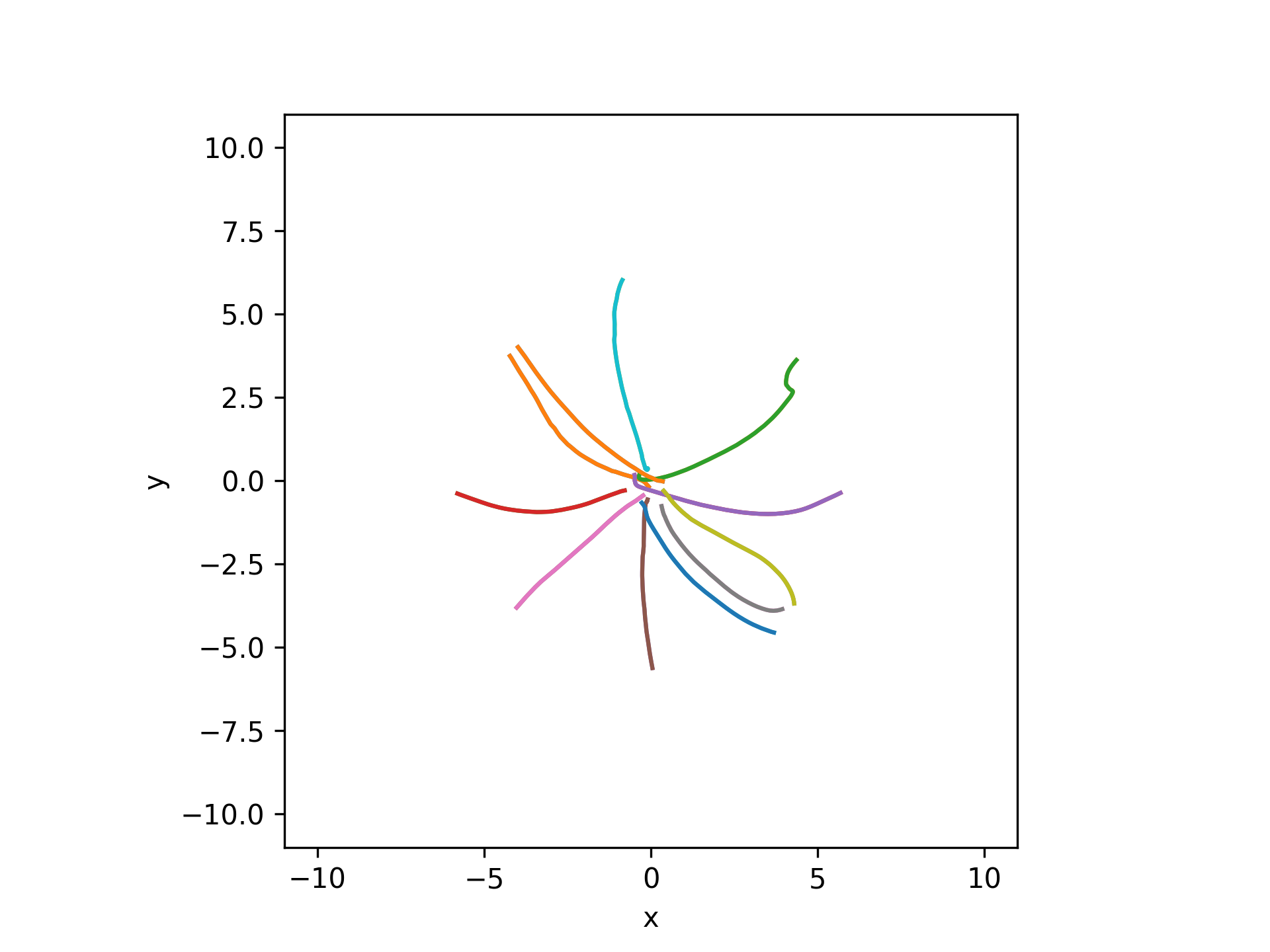
dst = tabulate_kinematic_data(write_dir, df['subject'], df['te_id'], df['date'], df['go_cue_time'], df['reach_end_time'],
                            deriv=0, norm=True, datatype='cursor', samplerate=1000)
spd = tabulate_kinematic_data(write_dir, df['subject'], df['te_id'], df['date'], df['go_cue_time'], df['reach_end_time'],
                            deriv=1, norm=True, datatype='cursor', samplerate=1000)
acc = tabulate_kinematic_data(write_dir, df['subject'], df['te_id'], df['date'], df['go_cue_time'], df['reach_end_time'],
                            deriv=2, norm=True, datatype='cursor', samplerate=1000)
plt.figure()
visualization.plot_timeseries(dst[0], 1000)
visualization.plot_timeseries(spd[0], 1000)
visualization.plot_timeseries(acc[0], 1000)
plt.legend(['distance', 'speed', 'acceleration'])
plt.xlabel('time from go cue (s)')
plt.ylabel('kinematics (cm)')
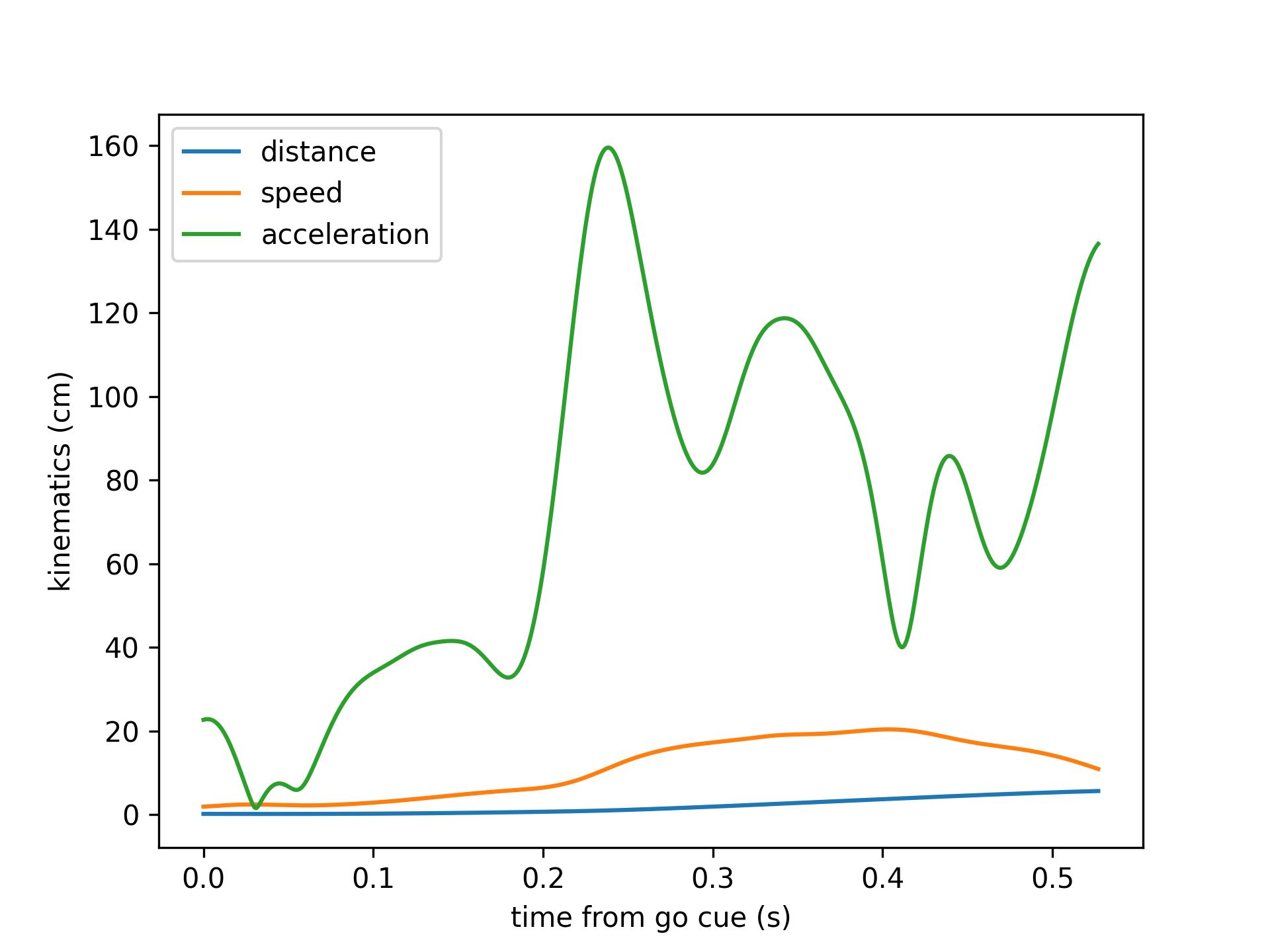
subject = 'CES003'
te_id = 2234
date = '2025-03-04'
df = tabulate_behavior_data_center_out(data_dir, [subject], [te_id], [date])
df = df[df['reach_completed']]
plot_kin(df, 'go_cue_time', 'reach_end_time')
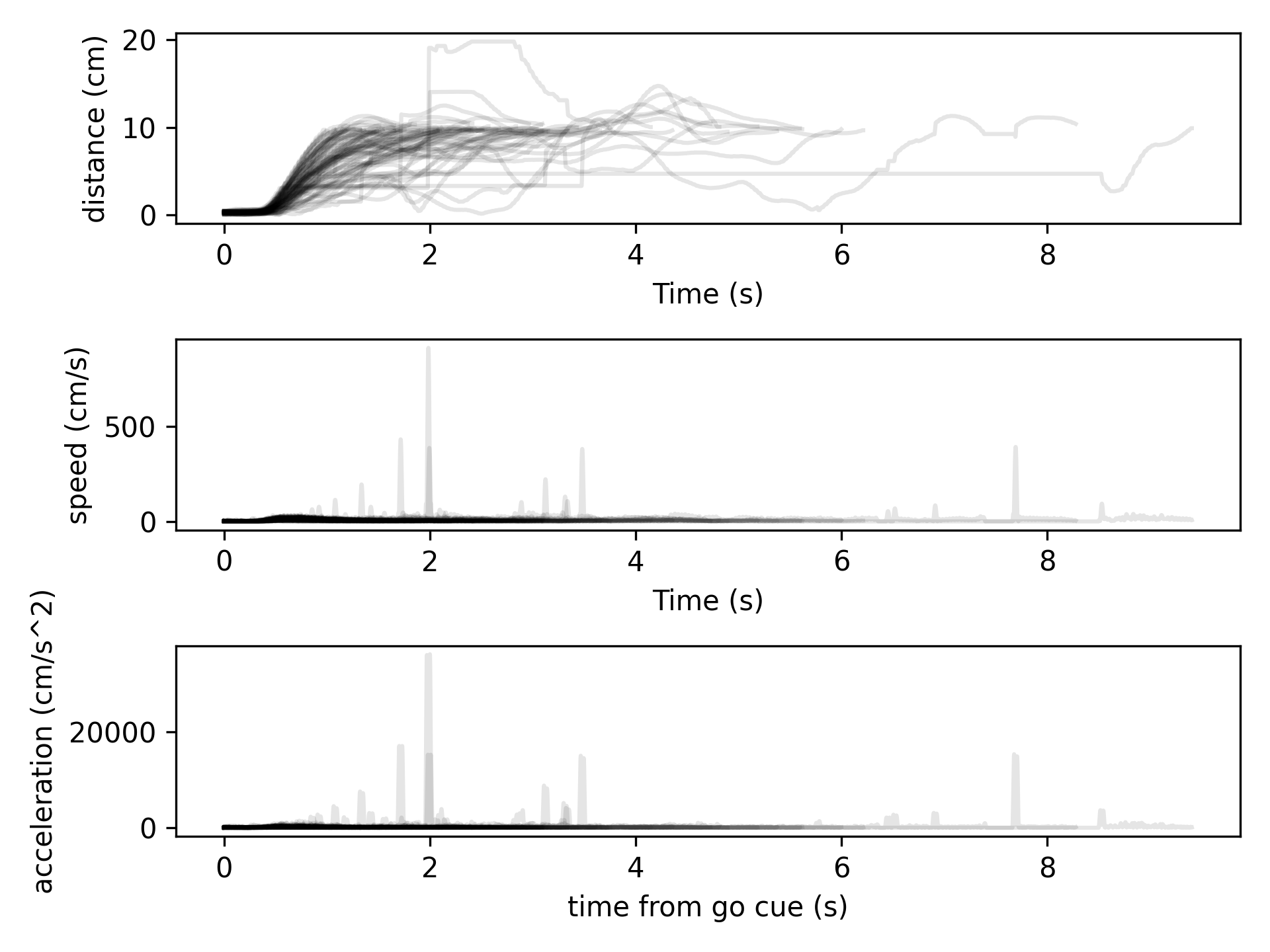
Different interpolation options:
raw = tabulate_kinematic_data(data_dir, df['subject'], df['te_id'], df['date'],
                            df['go_cue_time'], df['reach_end_time'],
                            datatype='cursor', samplerate=1000)
raw_filt = tabulate_kinematic_data(data_dir, df['subject'], df['te_id'], df['date'],
                            df['go_cue_time'], df['reach_end_time'],
                            datatype='cursor', samplerate=1000, low_cut=5, buttord=2,
                            filter_kinematics=True)
nan = tabulate_kinematic_data(data_dir, df['subject'], df['te_id'], df['date'],
                            df['go_cue_time'], df['reach_end_time'],
                            datatype='user_screen', samplerate=1000, remove_nan=False)
nan_filt = tabulate_kinematic_data(data_dir, df['subject'], df['te_id'], df['date'],
                            df['go_cue_time'], df['reach_end_time'],
                            datatype='user_screen', samplerate=1000, low_cut=5, buttord=2,
                            filter_kinematics=True, remove_nan=False)
pos = tabulate_kinematic_data(data_dir, df['subject'], df['te_id'], df['date'],
                            df['go_cue_time'], df['reach_end_time'],
                            datatype='user_screen', samplerate=1000)
pos_filt = tabulate_kinematic_data(data_dir, df['subject'], df['te_id'], df['date'],
                            df['go_cue_time'], df['reach_end_time'],
                            datatype='user_screen', samplerate=1000, low_cut=5, buttord=2,
                            filter_kinematics=True)
spd = tabulate_kinematic_data(data_dir, df['subject'], df['te_id'], df['date'],
                            df['go_cue_time'], df['reach_end_time'],
                            deriv=1, norm=True, datatype='cursor', samplerate=1000,
                            filter_kinematics=True)
weird_trials = np.where([np.any(s > 500) for s in spd])[0]
plt.figure(figsize=(5,6))
plt.subplot(3,1,1)
for i in weird_trials:
    visualization.plot_timeseries(raw[i][:,0], 1000)
    visualization.plot_timeseries(raw_filt[i][:,0], 1000, color='k', alpha=0.5)
plt.ylabel('x position (cm)')
plt.xlabel('')
plt.title('cursor')
plt.legend(['raw', 'filtered'])
plt.subplot(3,1,2)
for i in weird_trials:
    visualization.plot_timeseries(nan[i][:,0], 1000)
    visualization.plot_timeseries(nan_filt[i][:,0], 1000, color='k', alpha=0.5)
plt.ylabel('x position (cm)')
plt.xlabel('time from go cue (s)')
plt.title('user_screen')
plt.subplot(3,1,3)
for i in weird_trials:
    visualization.plot_timeseries(pos[i][:,0], 1000)
    visualization.plot_timeseries(pos_filt[i][:,0], 1000, color='k', alpha=0.5)
plt.ylabel('x position (cm)')
plt.xlabel('time from go cue (s)')
plt.title('user_screen interp')
plt.tight_layout()
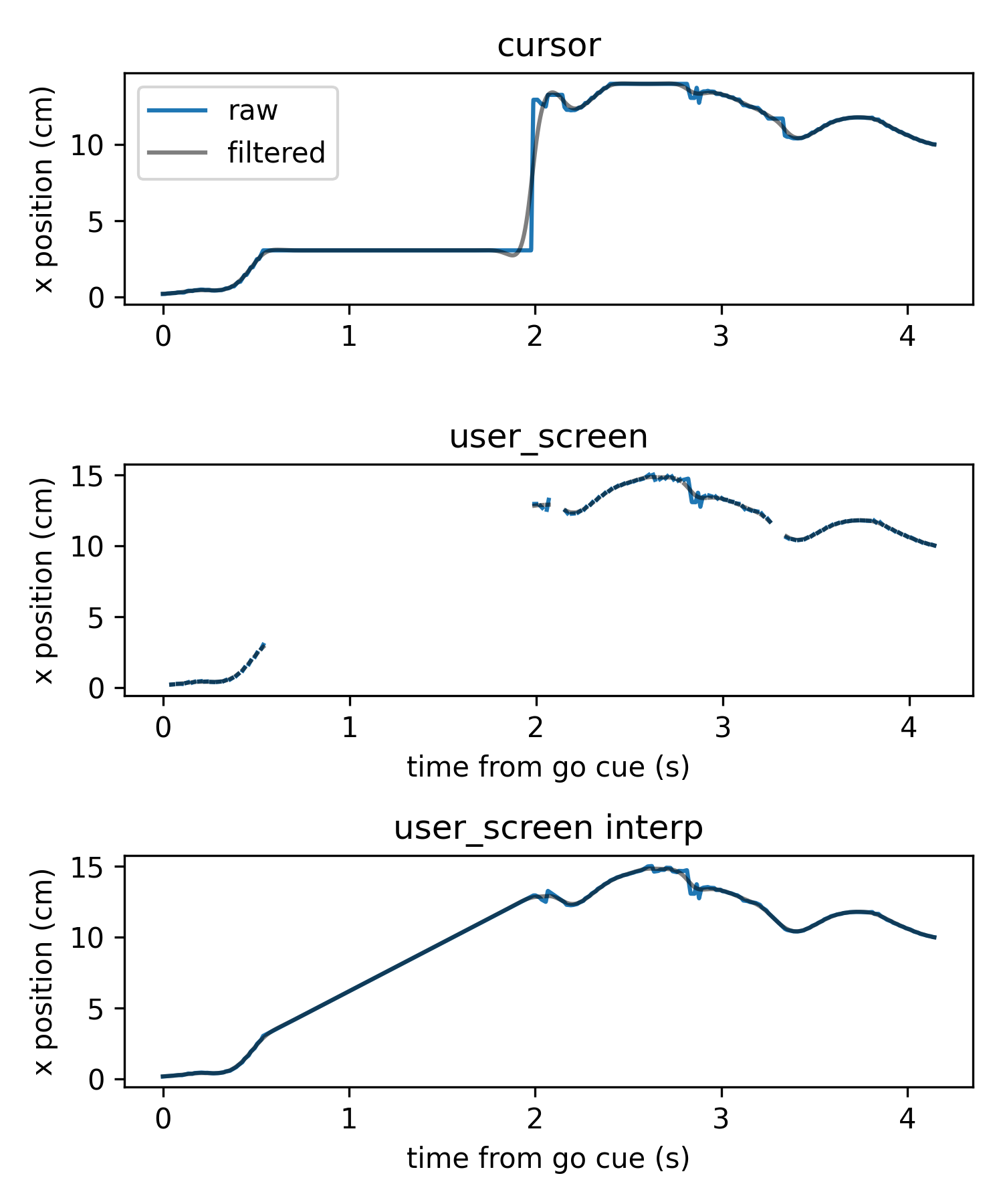
- aopy.data.bmi3d.tabulate_lfp_features(preproc_dir, subjects, te_ids, dates, start_times, end_times, decoders, samplerate=None, channels=None, datatype='lfp', preproc=None, verbose=True, **kwargs)[source]
Extract (new, offline) lfp feature segments across arbitrary preprocessed files. Uses a decoder object to extract features from either lfp or broadband timeseries data. Can be applied offline to arbitrary channels. If used on broadband data from a BCI experiment, the features extracted will be (nearly) the same as the online features if the same decoder is used.
- Parameters:
preproc_dir (str) – base directory where the files live
subjects (list of str) – Subject name for each recording
ids (list of int) – Block number of Task entry object for each recording
dates (list of str) – Date for each recording
datatype (str, optional) – column of task data to load. Default ‘lfp_power’.
start_times (list of float) – times in the recording at which the desired segments starts
end_times (list of float) – times in the recording at which the desired segments ends
decoders (list of riglib.bmi.Decoder) – decoder objects for each recording. If only one decoder is supplied, it will be applied to all recordings.
samplerate (float, optional) – choose the samplerate of the data in Hz. Default None, which uses the sampling rate of the experiment.
channels (list of int, optional) – list of channel indices to extract. Default None, which extracts all channels.
datatype – type of data to load. Default ‘lfp’.
preproc (fn, optional) – function mapping (position, fs) data to (kinematics, fs_new). For example, a smoothing function or an estimate of velocity from position
decode (bool, optional) – whether to decode the lfp features. Default False.
verbose (bool, optional) – whether to display a progress bar. Default True.
kwargs – additional keyword arguments
- Returns:
- tuple containing:
- segments (ntrial,): list of tensors of (nt, nfeat) feature data from each trialsamplerate (float): samplerate of the feature data
- Return type:
tuple
Examples
Plot online extracted lfp features and overlay offline extracted feature segments
subject = 'affi'
te_id = 17269
date = '2024-05-03'
subjects = [subject, subject, subject]
te_ids = [te_id, te_id, te_id]
dates = [date, date, date]
start_time = 10
end_time = 30
start_times = [10, 15, 20]
end_times = [14, 18, 28]
Load the decoder that was used in the experiment
with open(os.path.join(data_dir, 'test_decoder.pkl'), 'rb') as file:
decoder = pickle.load(file)
Load the full features for comparison
features_offline, samplerate_offline = extract_lfp_features(
    preproc_dir, subject, te_id, date, decoder,
    start_time=start_time, end_time=end_time)
features_online, samplerate_online = get_extracted_features(
    preproc_dir, subject, te_id, date, decoder,
    start_time=start_time, end_time=end_time)

time_offline = np.arange(len(features_offline))/samplerate_offline + start_time
time_online = np.arange(len(features_online))/samplerate_online + start_time

plt.figure(figsize=(8,3))
plt.plot(time_offline, features_offline[:,1], alpha=0.8, label='offline')
plt.plot(time_online, features_online[:,1], alpha=0.8, label='online')
plt.xlabel('time (s)')
plt.ylabel('power')
plt.title('readout 1')
Tabulate the segments
features_offline, samplerate_offline = tabulate_lfp_features(
    preproc_dir, subjects, te_ids, dates, start_times, end_times, decoder)
features_online, samplerate_online = tabulate_feature_data(
    preproc_dir, subjects, te_ids, dates, start_times, end_times, decoder)

for idx in range(len(start_times)):
    time_offline = np.arange(len(features_offline[idx]))/samplerate_offline + start_times[idx]
    time_online = np.arange(len(features_online[idx]))/samplerate_online + start_times[idx]
    plt.plot(time_offline, features_offline[idx][:,1], 'k--')
    plt.plot(time_online, features_online[idx][:,1], 'k--')
Add legend
plt.plot([], [], 'k--', label='segments')
plt.legend()

See also
tabulate_feature_data()tabulet_state_data()
- aopy.data.bmi3d.tabulate_poisson_trial_times(preproc_dir, subjects, ids, dates, metadata=[], poisson_mu=0.25, refractory_period=0.1, df=None)[source]
Generate poisson-spaced trial times for the given recordings. Recordings are given as lists of subjects, task entry ids, and dates. Each list must be the same length. See
generate_poisson_timestamps()for more information on the poisson-spaced trial times that are generated.- Parameters:
preproc_dir (str) – base directory where the files live
subjects (list of str) – Subject name for each recording
ids (list of int) – Block number of Task entry object for each recording
dates (list of str) – Date for each recording
metadata (list, optional) – list of metadata keys that should be included in the df. By default empty.
poisson_mu (float, optional) – mean of the inter-trial times in seconds. Default 0.25.
refractory_period (float, optional) – minimum time between trials in seconds. Default 0.1.
df (DataFrame, optional) – pandas DataFrame object to append. Defaults to None.
- Returns:
- pandas DataFrame containing the concatenated trial data
- subject (str): subject namete_id (str): task entry iddate (str): date of each trial%metadata_key% (ntrial): requested metadata values for each key requestedtrial_time (float): time generated within recording
- Return type:
pd.DataFrame
- aopy.data.bmi3d.tabulate_spike_data_segments(preproc_dir, subjects, te_ids, dates, start_times, end_times, drives, bin_width=0.01)[source]
Grab nonrectangular timeseries data from trials across arbitrary preprocessed files.
- Parameters:
preproc_dir (str) – base directory where the files live
subjects (list of str) – Subject name for each recording
ids (list of int) – Block number of Task entry object for each recording
dates (list of str) – Date for each recording
start_times (list of float) – times in the recording at which the desired segments start
end_times (list of float) – times in the recording at which the desired segments end
drives (list) – Defines which drive to load data from. For neuropixel data this is usually ‘1’ or ‘2’
bin_width (int) – Bin width to bin spike times at. If None, the segments of spike times will be returned.
- Returns:
- A tuple containing:
segments (list of dicts): A list where each element is a dictionary of spike data for a unit in a specific experiment.
bins (numpy.ndarray or None): An array of bin edges if binning was applied, otherwise None.
- Return type:
tuple
- aopy.data.bmi3d.tabulate_state_data(preproc_dir, subjects, te_ids, dates, start_times, end_times, decoders, datatype='decoder_state', samplerate=None, preproc=None, **kwargs)[source]
Grab (online decoded) state segments across arbitrary preprocessed files. Wrapper around tabulate_task_data.
- Parameters:
preproc_dir (str) – base directory where the files live
subjects (list of str) – Subject name for each recording
ids (list of int) – Block number of Task entry object for each recording
dates (list of str) – Date for each recording
datatype (str, optional) – column of task data to load. Default ‘decoder_state’.
samplerate (float, optional) – choose the samplerate of the data in Hz. Default None, which uses the sampling rate of the experiment.
start_times (list of float) – times in the recording at which the desired segments starts
end_times (list of float) – times in the recording at which the desired segments ends
decoders (list of riglib.bmi.Decoder) – decoder object with binlen and call_rate attributes. If only one decoder is supplied, it will be applied to all recordings.
preproc (fn, optional) – function mapping (position, fs) data to (kinematics, fs_new). For example, a smoothing function or an estimate of velocity from position
kwargs – additional keyword arguments to pass to get_interp_task_data
- Returns:
- tuple containing:
- segments (ntrial,): list of tensors of (nt, nfeat) state data from each trialsamplerate (float): samplerate of the state data
- Return type:
tuple
- aopy.data.bmi3d.tabulate_stim_data(preproc_dir, subjects, ids, dates, metadata=['stimulation_site'], debug=True, df=None, **kwargs)[source]
Concatenate stimulation data from across experiments. Experiments are given as lists of subjects, task entry ids, and dates. Each list must be the same length.
- Parameters:
preproc_dir (str) – base directory where the files live
subjects (list of str) – Subject name for each recording
ids (list of int) – Block number of Task entry object for each recording
dates (list of str) – Date for each recording
metadata (list, optional) – list of metadata keys that should be included in the df. By default, only stimulation_site is included.
debug (bool, optional) – Passed to
find_stim_times(), if True prints an laser sensor alignment plot for each trial. Defaults to True.df (DataFrame, optional) – pandas DataFrame object to append. Defaults to None.
kwargs (dict, optional) – optional keyword arguments to pass to
find_stim_times()
- Returns:
- pandas DataFrame containing the concatenated trial data
- subject (str): subject namete_id (str): task entry iddate (str): date of stimulationstimulation_site (int): site of stimulation%metadata_key% (ntrial): requested metadata values for each key requestedtrial_time (float): time of stimulation within recordingtrial_width (float): width of stimulation pulsetrial_gain (float): fraction of maximum laser power settingtrial_power (float): power (in mW) of stimulation pulse at the fiber output
- Return type:
pd.DataFrame
Note
Only supports single-site stimulation.
- aopy.data.bmi3d.tabulate_task_data(preproc_dir, subjects, te_ids, dates, start_times, end_times, datatype, samplerate=None, steps=1, preproc=None, **kwargs)[source]
Grab task data from trials across arbitrary preprocessed files.
- Parameters:
preproc_dir (str) – base directory where the files live
subjects (list of str) – Subject name for each recording
ids (list of int) – Block number of Task entry object for each recording
dates (list of str) – Date for each recording
start_times (list of float) – times in the recording at which the desired segments starts
end_times (list of float) – times in the recording at which the desired segments ends
datatype (str) – column of task data to load.
samplerate (float, optional) – choose the samplerate of the data in Hz. Default None, which uses the sampling rate of the experiment.
steps (list of int, optional) – task data will be decimated with steps this big. If a single integer is given, it will be applied to all trials. Default 1.
preproc (fn, optional) – function mapping (position, fs) data to (kinematics, fs_new). For example, a smoothing function or an estimate of velocity from position
kwargs – additional keyword arguments to pass to get_interp_task_data
- Returns:
- tuple containing:
- segments (ntrial,): list of tensors of (nt, nch) task data from each trialsamplerate (float): samplerate of the task data
- Return type:
tuple
- aopy.data.bmi3d.tabulate_ts_data(preproc_dir, subjects, te_ids, dates, trigger_times, time_before, time_after, drive_number=None, channels=None, datatype='lfp')[source]
Grab rectangular timeseries data from trials across arbitrary preprocessed files.
- Parameters:
preproc_dir (str) – base directory where the files live
subjects (list of str) – Subject name for each recording
ids (list of int) – Block number of Task entry object for each recording
dates (list of str) – Date for each recording
trigger_times (list of float) – times in the recording at which the desired trials start
time_before (float) – time (in seconds) to include before the trigger times
time_after (float) – time (in seconds) to include after the trigger times
channels (list of int, optional) – list of channel indices to include. Defaults to None.
datatype (str, optional) – choice of ‘lfp’ or ‘broadband’ data to load. Defaults to ‘lfp’.
- Returns:
- tuple containing:
- data (nt, nch, ntr): tensor of data from each channel and trialsamplerate (float): sampling rate of the data
- Return type:
tuple
- aopy.data.bmi3d.tabulate_ts_segments(preproc_dir, subjects, te_ids, dates, start_times, end_times, drive_number=None, channels=None, datatype='lfp')[source]
Grab nonrectangular timeseries data from trials across arbitrary preprocessed files.
- Parameters:
preproc_dir (str) – base directory where the files live
subjects (list of str) – Subject name for each recording
ids (list of int) – Block number of Task entry object for each recording
dates (list of str) – Date for each recording
start_times (list of float) – times in the recording at which the desired segments start
end_times (list of float) – times in the recording at which the desired segments end
channels (list of int, optional) – list of channel indices to include. Defaults to None.
datatype (str, optional) – choice of ‘lfp’ or ‘broadband’ data to load. Defaults to ‘lfp’.
- Returns:
- tuple containing:
- data (list of (nt, nch)): list of data segmentssamplerate (float): sampling rate of the data
- Return type:
tuple
Database
Interface between database methods/models and data analysis code
- class aopy.data.db.BMI3DDecoder(decoder, dbname='default')[source]
Wrapper for BMI3D Decoder objects. Written like this so that other database types can implement their own decoder classes with the same methods without needing to modfiy their database model.
- property channels
The decoder channels
- Returns:
channels used by the decoder
- Return type:
list
- property decoder
The decoder object
- Returns:
decoder object
- Return type:
object
- property filt
The decoder filter
- Returns:
decoder filter
- Return type:
object
- class aopy.data.db.BMI3DTaskEntry(task_entry, dbname='default')[source]
Wrapper class for bmi3d database entry classes. Written like this so that other database types can implement their own classes with the same methods without needing to modfiy their database model.
- property duration
Duration of recording in seconds
- Returns:
duration
- Return type:
float
- property experimenter
Experimenter
- Returns:
name of the experimenter
- Return type:
str
- property features
List of features that were enabled during recording
- Returns:
enabled features
- Return type:
list
- get_db_object()[source]
Get the raw database object representing this task entry
- Returns:
bmi3d task entry object
- Return type:
models.TaskEntry
- get_decoder(decoder_dir=None)[source]
Fetch the decoder object from the database, if there is one.
- Returns:
decoder object (type depends on which decoder is being loaded)
- Return type:
Decoder
- get_decoder_record()[source]
Fetch the database models.Decoder record for this recording, if there is one.
- Returns:
decoder record
- Return type:
models.Decoder
- get_exp_mapping(raw=False)[source]
Get the experiment mapping matrix for this task entry that maps from world to screen coordinates. Only useful for manual control experiments.
- Parameters:
raw (bool, optional) – if True, return the mapping in BMI3D coordinates (x,z,y). Only useful for debugging. Defaults to False.
- Returns:
3x3 mapping matrix
- Return type:
np.ndarray
- get_preprocessed_sources()[source]
Returns a list of datasource names that should be preprocessed for this task entry. Always includes experiment data (exp) and eye data (eye), and additionally includes broadband, lfp, and spike data if there are associated datafiles with appropriate neural data.
- Returns:
preprocessed sources for this task entry
- Return type:
list
- get_raw_files(system_subfolders=None)[source]
Gets the raw data files associated with this task entry
- Parameters:
system_subfolders (dict, optional) – dictionary of system subfolders where the data for that system is located. If None, defaults to the system name
- Returns:
list of (system, filepath) for each datafile associated with this task entry
- Return type:
files
- get_sequence_param(paramname, default=None)[source]
Get a specific sequence parameter
- Parameters:
paramname (str) – name of the parameter to get
default (object, optional) – default value to return if the parameter is not found. Defaults to None.
- Returns:
parameter value
- Return type:
object
- get_task_param(paramname, default=None)[source]
Get a specific task parameter
- Parameters:
paramname (str) – name of the parameter to get
default (object, optional) – default value to return if the parameter is not found. Defaults to None.
- Returns:
parameter value
- Return type:
object
- has_exp_perturbation()[source]
Check if this task entry has an experiment perturbation
- Returns:
True if the task entry has a non-identity mapping matrix
- Return type:
bool
- has_feature(featname)[source]
Check whether a feature was included in this recording
- Parameters:
featname (str) – name of the feature to check
- Returns:
whether or not the feature was enabled
- Return type:
bool
- property n_rewards
Number of rewarded trials
- Returns:
number of rewarded trials
- Return type:
int
- property n_trials
Number of total trials presented
- Returns:
number of total trials
- Return type:
int
- property notes
Notes
- Returns:
notes
- Return type:
str
- preprocess(data_dir, preproc_dir, overwrite=False, exclude_sources=[], system_subfolders=None, **kwargs)[source]
Preprocess the data associated with this task entry
- Parameters:
data_dir (str) – directory where the raw data is stored
preproc_dir (str) – directory where the preprocessed data will be written
overwrite (bool, optional) – whether or not to overwrite existing preprocessed data. Defaults to False.
exclude_sources (list, optional) – list of sources to exclude from preprocessing. Defaults to [].
system_subfolders (dict, optional) – dictionary of system subfolders where the data for that system is located. If None, defaults to the system name
kwargs (dict, optional) – additional keyword arguments to pass to the preprocessing function
- Returns:
error message if there was an error during preprocessing
- Return type:
str
- property sequence_name
Sequence name, e.g. centerout_2D
- Returns:
sequence name
- Return type:
str
- property sequence_params
All sequence parameters, e.g. ntargets or target_radius
- Returns:
sequence params
- Return type:
dict
- property task_desc
Task description, e.g. flash
- Returns:
task description
- Return type:
str
- property task_name
Task name, e.g. manual control
- Returns:
task name
- Return type:
str
- property task_params
All task parameters
- Returns:
task params
- Return type:
dict
- aopy.data.db.add_metadata_columns(df, sessions, column_names, apply_fns)[source]
Adds metadata columns (in-place) to a dataframe keyed on session id (e.g. from
tabulate_behavior_data()). Specify the same number of column names as functions. Each function should take a single session as input and return a single value of any type. The return value will be appended to the dataframe in all rows where the task entry id (te_id) matches the input session.- Parameters:
df (pd.DataFrame) – dataframe of session summaries
sessions (list) – list of bmi3d task entry objects
column_names (list of str) – list of column names to append to the dataframe
apply_fns (list of functions) – functions to apply to each session to generate metadata columns
Examples
Addding a metadata column to a dataframe of session summaries
date_obj = date.fromisoformat('2023-02-06')
entries = db.lookup_sessions(date=date_obj)
df = db.summarize_entries(entries)
db.append_metadata_columns(df, entries, 'hs_data', lambda x: x.get_task_param('record_headstage'))
display(df)
Adding session and experimenter info after tabulating behavior data
date_obj = date.fromisoformat('2023-02-06')
entries = db.lookup_sessions(date=date_obj)
df = aopy.data.tabulate_behavior_data(entries)
db.append_metadata_columns(df, entries, ['session', 'experimenter'],
                                        [lambda x: x.session, lambda x: x.experimenter])
display(df)
More information about entries can be found in
BMI3DTaskEntry
- aopy.data.db.create_decoder_parent(project, session, task_name='nothing', task_desc='decoder parent', **kwargs)[source]
Create a new decoder parent entry (a TaskEntry) in the database. These are used to keep track of decoders that weren’t trained on a specific session.
- Parameters:
project (str) – project name
session (str) – session name
task_name (str, optional) – task name. Defaults to ‘nothing’.
task_desc (str, optional) – task description. Defaults to ‘decoder parent’.
kwargs (dict, optional) – optional keyword arguments, including dbname to specify the database
- Returns:
the new decoder parent entry
- Return type:
TaskEntry
- aopy.data.db.encode_onehot_sequence_name(sessions, sequence_types)[source]
Generates a dataframe summarizing the id, subject, date and by onehot encoding the sequences of interest of each entry in the input session list.
- Parameters:
sessions (list) – list of bmi3d task entries
sequence_types (list) – Array of sequence_name strings. Can only be a list of strings
- Returns:
Dataframe of entry summaries containing sequence name occurance
- Return type:
pd.Dataframe
Examples
sessions = db.lookup_mc_sessions()
sequence_types = ['rand_target_chain_2D', 'centerout_2D', 'out_2D',
                'rand_target_chain_3D', 'corners_2D', 'centerout_2D_different_center',
                'sequence_2D', 'centerout_2D_select', 'single_laser_pulse']

df = db.encode_onehot_sequence_name(entries, sequence_types)
display(df)
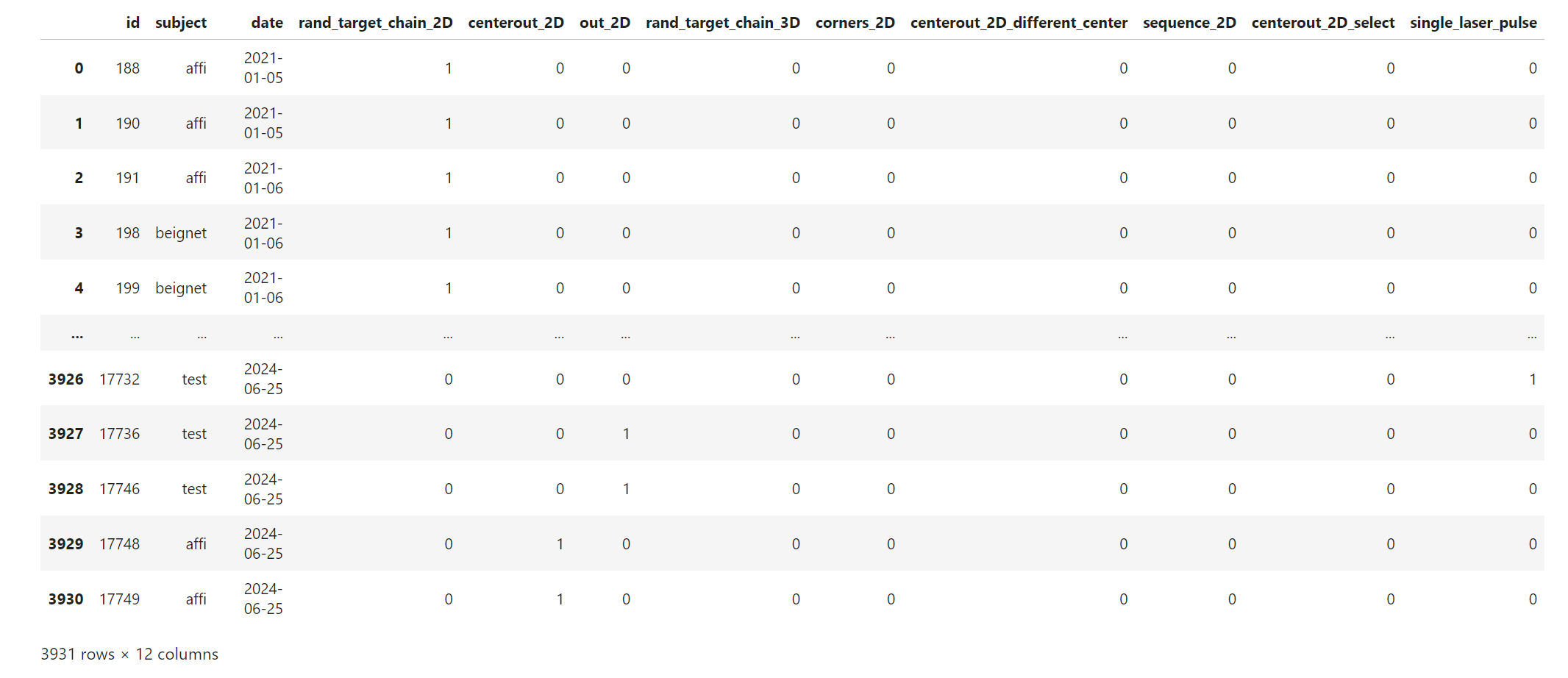
- aopy.data.db.filter_has_features(features)[source]
Filter function to select sessions only if they had the given features enabled
- Parameters:
features (list or str) – a list of feature names, or a single feature
- Returns:
a filter function to pass to lookup_sessions
- Return type:
function
- aopy.data.db.filter_has_neural_data(datasource)[source]
Filter function to select sessions only if they contain neural data recordings
- Parameters:
datasource (str) – ‘ecog’ or ‘neuropixel’
- Returns:
a filter function to pass to lookup_sessions
- Return type:
function
- aopy.data.db.get_aba_perturbation_days(entries)[source]
Finds all days with ABA block design manual control perturbation experiments based on
get_aba_sessions().- Parameters:
entries (list) – list of task entries
- Returns:
- tuple containing
- aba_days (list): list of dates with ABA block design sessionsaba_sessions (list): list of lists of session names for each date
- Return type:
tuple
- aopy.data.db.get_aba_perturbation_sessions(day_entries)[source]
Given a list of task entries, returns a list of session names that follow an ABA block design. The sessions must be on the same day and contain at least one session with an experiment perturbation within the day. The sessions are assigned as follows:
‘a’ for sessions until the first perturbation
‘b’ for sessions with a perturbation
‘aprime’ for the remaining (non-perturbed) sessions
- Parameters:
day_entries (n_rec,) – list of task entries for a single day
- Returns:
- list of session names (‘a’, ‘b’, ‘aprime’)
with the same length as the input list. If no sessions matching ABA format are found, returns None.
- Return type:
(n_rec,) list or None
- aopy.data.db.group_entries(sessions, grouping_fn=<function <lambda>>)[source]
Automatically group together a flat list of database IDs
- Parameters:
sessions (list of task entries) – TaskEntry objects to group
grouping_fn (callable, optional) – grouping_fn(task_entry) takes a TaskEntry as its only argument and returns a hashable and sortable object by which to group the ids
- Returns:
list of tuples, each tuple containing a group of sessions
- Return type:
list
- aopy.data.db.list_entry_details(sessions)[source]
Returns (subject, te_id, date) for each given session.
- Parameters:
sessions (list of TaskEntry) – list of sessions
- Returns:
- tuple containing
- subject (list): list of subject nameste_id (list): list of task entry idsdate (list): list of dates
- Return type:
tuple
- aopy.data.db.lookup_bmi_sessions(bmi_task_name='bmi control', **kwargs)[source]
Returns list of entries for all bmi control sessions on the given date See
lookup_sessions()for details.
- aopy.data.db.lookup_decoder_parent(task_name='nothing', task_desc='decoder parent', **kwargs)[source]
Lookup by project and session
- aopy.data.db.lookup_decoders(id=None, parent_id=None, **kwargs)[source]
Returns list of decoders with the given filter parameters
- Parameters:
id (int or list, optional) – Lookup decoders with the given ids, if provided.
parent_id (int, optional) – Lookup decoders with the given parent ids, if provided.
kwargs (dict, optional) – optional keyword arguments to pass to database lookup function.
- Returns:
list of Decoder records matching the query
- Return type:
list
- aopy.data.db.lookup_flash_sessions(mc_task_name='manual control', **kwargs)[source]
Returns list of entries for all flash sessions on the given date. See
lookup_sessions()for details.
- aopy.data.db.lookup_mc_sessions(mc_task_name='manual control', **kwargs)[source]
Returns list of entries for all manual control sessions on the given date See
lookup_sessions()for details.
- aopy.data.db.lookup_sessions(id=None, subject=None, date=None, task_name=None, task_desc=None, session=None, project=None, experimenter=None, exclude_ids=[], filter_fn=<function <lambda>>, **kwargs)[source]
Returns list of entries for all sessions on the given date
- Parameters:
id (int or list, optional) – Lookup sessions with the given ids, if provided.
subject (str, optional) – Lookup sessions with the given subject, if provided.
date (multiple, optional) – Lookup sessions from the given date, if provided. Accepts multiple formats: | datetime.date object | (start, end) tuple of datetime.date objects | (start, end) tuple of strings in the format ‘YYYY-MM-DD’ | (year, month, day) tuple of integers
task_name (str, optional) – Lookup sessions with the given task name, if provided. Examples include manual control, tracking, nothing, etc.
task_desc (str, optional) – Lookup sessions with the given task description, if provided. Examples include flash, simple center out, resting state, etc.
session (str, optional) – Lookup sessions with the given session name, if provided.
project (str, optional) – Lookup sessions with the given project name, if provided.
experimenter (str, optional) – Lookup sessions with the given experimenter, if provided.
exclude_ids (list, optional) – Exclude sessions with matching task entry ids, if provided.
filter_fn (function, optional) – Additional filtering, of signature fn(session)->bool. Defaults to `lambda x:True.
kwargs (dict, optional) – optional keyword arguments to pass to database lookup function.
- Returns:
list of TaskEntry sessions matching the query
- Return type:
list
- aopy.data.db.lookup_tracking_sessions(tracking_task_name='tracking', **kwargs)[source]
Returns list of entries for all tracking sessions on the given date See
lookup_sessions()for details.
- aopy.data.db.save_decoder(decoder_parent, decoder, suffix, **kwargs)[source]
Save a new decoder to the database, associated with the given parent TaskEntry. If the decoder was trained on a specific session, use that as the parent. If not, use
lookup_decoder_parent()orcreate_decoder_parent()to look up or create a new parent entry, respectively.- Parameters:
decoder_parent (TaskEntry) – the parent decoder entry
decoder (object) – the decoder object to save
suffix (str) – suffix to append to the decoder name
kwargs (dict, optional) – optional keyword arguments, including dbname to specify the database
Note
This only works if you have the bmi system path locally. See the BMI3D setup page to find this path and make it available on your system.
- aopy.data.db.summarize_entries(entries, sum_trials=False)[source]
Generates a dataframe summarizing the subject, date, task, number of trials, and duration in minutes of each entry in the input list. Optionally sum the number of trials and duration for unique tasks across days for each subject
- Parameters:
entries (list) – list of bmi3d task entries
sum_trials (bool, optional) – sum the number of trials and duration across unique tasks for each day for each subject
- Returns:
dataframe of entry summaries
- Return type:
pd.DataFrame
Examples
date_obj = date.fromisoformat('2023-02-06')
entries = db.lookup_sessions(date=date_obj)
df = db.summarize_entries(entries)
display(df)
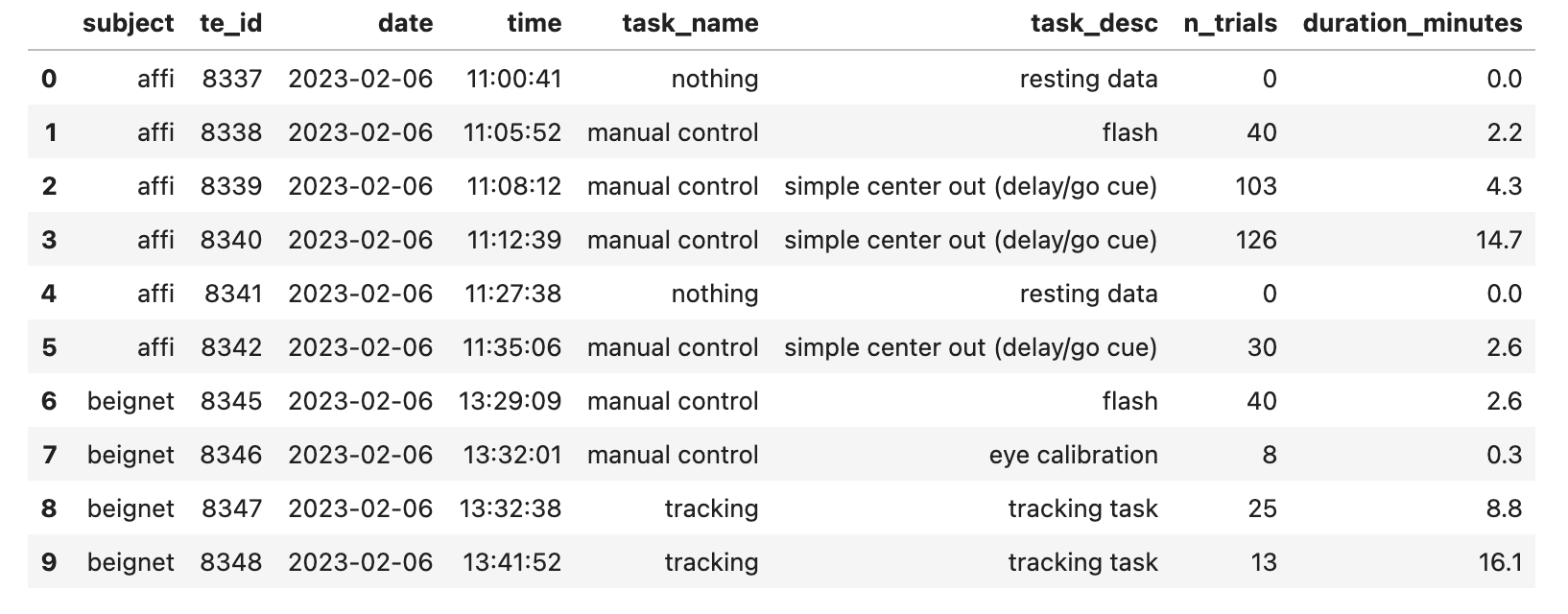
df_unique = db.summarize_entries(entries, sum_trials=True)
display(df_unique)
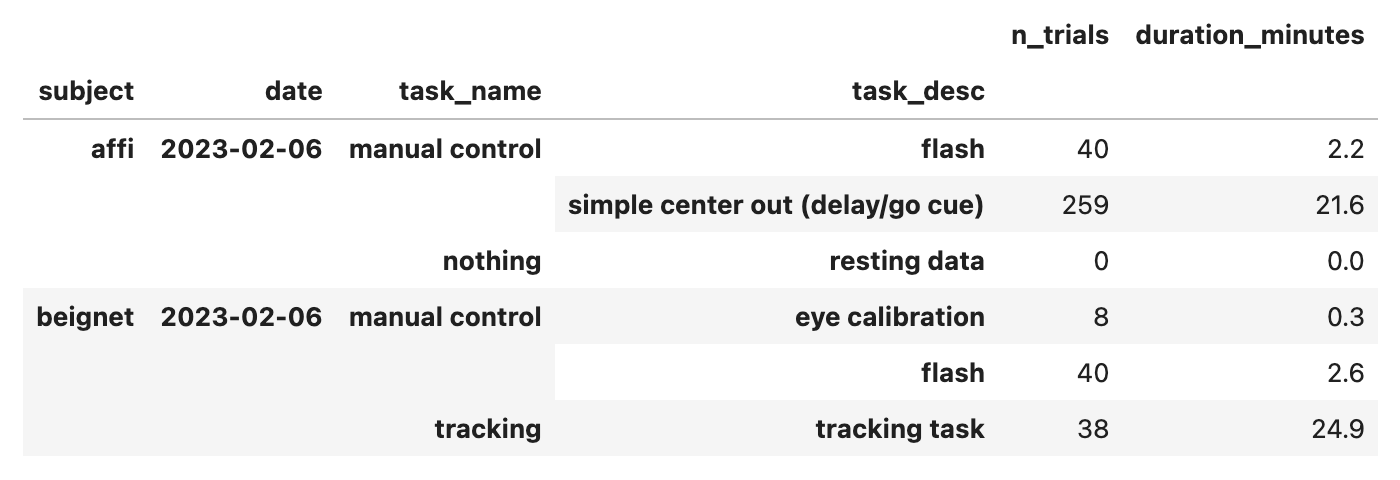
Peslab
- aopy.data.peslab.get_exp_var(exp_data, *args)[source]
Generate a list of variable names from a .MAT formatted experiment data
- Parameters:
exp_data (dict) – MAT file data dict
- Returns:
list of variable names in exp_data
- Return type:
var_names (list)
- aopy.data.peslab.load_ecog_clfp_data(data_file_name, t_range=(0, -1), exp_file_name=None, mask_file_name=None, compute_mask=True)[source]
Load ECoG data file from a goose wireless dataset file.
- Parameters:
data_file_name (str) – file path to data file
t_range (listlike, optional) – Start and stop times to read data. (0, -1) reads the entire file. Defaults to (0,-1).
exp_file_name (str, optional) – File path to experiment data JSON file.
mask_file_name (str, optional) – File path to data quality mask file. Defaults to None.
compute_mask (bool, optional) – Compute a data quality mask array if no mask file is given or found. Defaults to True.
- Raises:
NameError – If experiment file cannot be found, NameError is raised.
NameError – If mask file cannot be found, NameError is raised.
- Returns:
numpy array of multichannel ECoG data mask (numpy.array): binary mask indicating bad data samples exp (dict): dictionary of experiment data
- Return type:
data (nt x nch)
- aopy.data.peslab.load_experiment_data(exp_file_name)[source]
Reads experiment metadata from an experiment JSON file. Returns the complete data structure as a dictionary and returns electrode data as a pandas DataFrame.
- Parameters:
exp_file_name (str) – JSON experiment data file path
- Returns:
dict data object containing experiment metadata. See lab documentation for more information. electrode_df (DataFrame): pandas DataFrame containing microdrive electrode information. Individual channels are indexed along columns, column names are electrode IDs.
- Return type:
experiment (dict)
- aopy.data.peslab.load_mask_data(mask_file_name)[source]
Loads binary mask data from recording mask files. Binary True values indicate “bad” or noisy data not used in analyses.
- Parameters:
mask_file_name (str) – file path to binary mask file
- Returns:
numpy array of binary values. Length is equal to the number of time points in the respective data array.
- Return type:
mask (numpy.array)
- aopy.data.peslab.parse_file_info(file_path)[source]
Parses file strings for goose_wireless ECoG and LFP signal data into data parameters.
- Parameters:
file_path (str) – path to the file’s location
- Returns:
JSON experiment data file path mask_file_name (str): binary data mask file path microdrive_name (str): string name of the microdrive type used to collect data in file_path rec_type (str): recording modality reflected in this file (‘ECOG’, ‘LFP’, etc.)
- Return type:
exp_file_name (str)
- aopy.data.peslab.read_from_file(data_file_path, data_type, n_ch, n_read, n_offset, reshape_order='F')[source]
Reads recorded neural activity from a goose_wireless file.
- Parameters:
data_file_path (str) – file path to data file
data_type (numeric type) – numpy numeric type reflecting the variable encoding in data_file_path
n_ch (int) – Number of channels in data_file_path
n_read (int) – Number of data samples read from data_file_path
n_offset (int) – Offset point defining where data reading starts
reshape_order (str, optional) – Data reshaping order. Defaults to ‘F’
- Returns:
numpy array of neural activity stored in data_file_path
- Return type:
data (np.array)
- aopy.data.peslab.read_from_start(data_file_path, data_type, n_ch, n_read)[source]
Read data from goose wireless data file. Reads a fixed number of samples from the start of the recording.
- Parameters:
data_file_path (str) – file path to data file
data_type (numeric type) – numpy numeric type reflecting the variable encoding in data_file_path
n_ch (int) – number of channels saved in data_file_path
n_read (int) – number of time points to read from data_file_path
- Returns:
numpy array of neural recording data saved in data_file_path
- Return type:
data (np.array)
Optitrack
- aopy.data.optitrack.load_optitrack_data(data_dir, filename)[source]
This function loads a series of x, y, z positional data from the optitrack .csv file that has 1 rigid body exported with the following settings:
Markers: OffUnlabeled markers: OffQuality Statistics: OffRigid Bodies: OnRigid Body Markers: OffBones: OffBone Markers: OffHeader Information: OnOptitrack format Version(s): 1.23Required packages: pandas, numpy
- Parameters:
data_dir (string) – Directory to load data from
filename (string) – File name to load within the data directory
- Returns:
- Tuple containing:
- mocap_data_pos (nt, 3): Positional mocap datamocap_data_rot (nt, 4): Rotational mocap data
- Return type:
tuple
- aopy.data.optitrack.load_optitrack_metadata(data_dir, filename, metadata_row=0)[source]
This function loads optitrack metadata from .csv file that has 1 rigid body exported with the following settings:
Markers: OffUnlabeled markers: OffQuality Statistics: OffRigid Bodies: OnRigid Body Markers: OffBones: OffBone Markers: OffHeader Information: OnOptitrack format Version(s): 1.23Required packages: csv, pandas
- Parameters:
data_dir (string) – Directory to load data from
filename (string) – File name to load within the data directory
- Returns:
Dictionary of metadata for for an optitrack datafile
- Return type:
dict
- aopy.data.optitrack.load_optitrack_time(data_dir, filename)[source]
This function loads timestamps from the optitrack .csv file
Required packages: pandas, numpy
- Parameters:
data_dir (string) – Directory to load data from
filename (string) – File name to load within the data directory
- Returns:
Array of timestamps for each captured frame
- Return type:
(nt)
Eye
- aopy.data.eye.proc_eye_day(preproc_dir, subject, date, correlation_min=0.9, dry_run=False)[source]
Finds files from the given subject and date with the best eye calibration and automatically applies it to every recording on that day for that subject. If no good calibration is found, raises a ValueError exception.
- Parameters:
preproc_dir (str) – base directory where the files live
subject (str) – Subject name
date (str) – Date of recording
correlation_min (float, optional) – correlation below which is unacceptable
dry_run (bool, optional) – if True, files will not be modified.
- Raises:
ValueError –
- Returns:
- tuple containing:
- best_id (int): the task entry id with the highest mean absolute value correlation coefficientte_ids (list of int): the ids to which the coeff were applied
- Return type:
tuple
Neuropixel
- aopy.data.neuropixel.get_channel_bank_name(ch_bank_data, ch_config_dir='/data/channel_config_np', filename='channel_bank.npy')[source]
Get the information about which channels are used for recording. This function assumes channel configuration is either of below, long-br, middle, long-tr, top, long-tl, long-bl, bottom.
- Parameters:
ch_bank_data (nch) – channel bank information contained in neuropixel
ch_config_dir (str, optional) – directory that contains the channel configuration file
filename (str, optional) – filename that includes all bank information.
- Returns:
channel name (long-br, middle, long-tr, top, long-tl, long-bl, bottom)
- Return type:
chname (str)
- aopy.data.neuropixel.get_neuropixel_digital_input_times(data_dir, data_folder, datatype, node_idx=0, ex_idx=0, port_number=1)[source]
Computes the times when sync line come to the degital channel in openephys. Openephys recodings doesn’t always begin with 0 time index.
- Parameters:
data_dir (str) – data directory where the data files are located
data_folder (str) – data folder where 1 experiment data is saved
datatype (str) – datatype. ‘ap’ or ‘lfp’
node_idx (int) – record node index. This is usually 0.
ex_idx (int) – experiment index. This is usually 0.
port_number (int) – port number which a probe connected to. Natural number from 1 to 4.
- Returns:
- Tuple containing:
- on_times (n_times): times at which sync line turned onoff_times (n_times): times at which sync line turned off
- Return type:
tuple
- aopy.data.neuropixel.load_neuropixel_configuration(data_dir, data_folder, ex_idx=0, port_number=1)[source]
get neuropixel probe information from xml condiguration files made by OpenEphys channel number and electrode x pos is sorded in the order of y pos when saved by openephys This function also sorts x pos and y pos in the order of channel number
- Parameters:
data_dir (str) – where to find the file
data_folder (str) – the xml file that describes neuropixel probe configuration
ex_idx (int) – experiment idx. This is usually 0.
port_number (int) – port number which a probe connected to. natural number from 1 to 4.
- Returns:
dictionary thet contains electrode configuration
- Return type:
config (dict)
- aopy.data.neuropixel.load_neuropixel_data(data_dir, data_folder, datatype, node_idx=0, ex_idx=0, port_number=1)[source]
Load neuropixel data object and metadata. The data obeject has 4 properties of samples, sample_numbers, timestamps, and metadata. See this link: https://github.com/open-ephys/open-ephys-python-tools/tree/main/src/open_ephys/analysis
- Parameters:
data_dir (str) – data directory where the data files are located
data_folder (str) – data folder where 1 experiment data is saved
datatype (str) – datatype. ‘ap’ or ‘lfp’
node_idx (int) – record node index. This is usually 0.
ex_idx (int) – experiment index. This is usually 0.
port_number (int) – port number which a probe connected to. natural number from 1 to 4.
- Returns:
- Tuple containing:
- rawdata (object): data objectmetadata (dict): metadata
- Return type:
tuple
- aopy.data.neuropixel.load_neuropixel_event(data_dir, data_folder, datatype, node_idx=0, ex_idx=0, port_number=1)[source]
Load neuropixel’s event data saved by openephys, accroding to datatype
- Parameters:
data_dir (str) – data directory where the data files are located
data_folder (str) – data folder where 1 experiment data is saved
datatype (str) – datatype. ‘ap’ or ‘lfp’
node_idx (int) – record node index. This is usually 0.
ex_idx (int) – experiment index. This is usually 0.
port_number (int) – port number which a probe connected to. natural number from 1 to 4.
- Returns:
events data
- Return type:
events (ndarray)
- aopy.data.neuropixel.load_parsed_ksdata(kilosort_dir, data_dir)[source]
load kilosort data (spike indices, clusters, and label) parsed into the task entries This data is not still synchronized
- Parameters:
kilosort_dir (str) – kilosort directory (ex. ‘/data/preprocessed/kilosort’)
data_dir (str) – data directory that contains parsed data (ex. ‘2023-06-30_Neuropixel_ks_affi_bottom_port1_9847’)
- Returns:
spike indices detected by kilosort (not spike times) spike_clusters (nspikes): unit label detected by kilsort
- Return type:
spike_indices (nspikes)